QR Code Reader From Image
The latest smartphones usually have a built-in QR code reader. But if you still want to use a third-party app as a backup, there are several available choices in the market—some you can even use for free.
Top QR Code Reader Apps and How to Scan QR Code From An Image
Here are the top QR code readers you can look into:
1. QR & Barcode Scanner
This QR code scanner, developed by Gamma Play, is a user-friendly app you can point and scan to decode QR codes. It reads the code as soon as it is detected and stores its past scans. It even scans barcodes so you'll know the products' prices.
One of the plus sides of using QR & Barcode Scanner is it can read inverted codes, those with white squares against a black background. Once decoded, the app automatically processes the code and does what it should do. It could be visiting a website URL, processing payment, opening the virtual restaurant menu, or saving contact information.
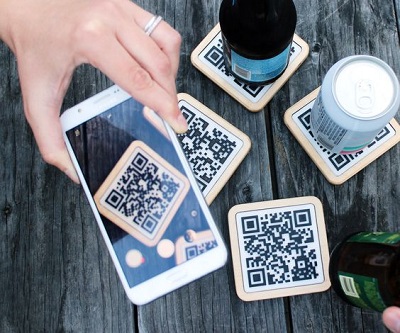
2. QR Code Reader
Depending on your device, download QR Code Reader on either Google Play or the App Store. It is a point-to-shoot app from developer Scan that reads a code as soon as the camera detects it. Aside from its fuss-free interface, it helps you save storage space in your devices. If you point it at a barcode, the QR code reader can scan and decode it immediately.
3. Kaspersky QR Scanner
Kaspersky is one of the most popular choices for a QR code reader online. It owes its popularity to its reputation as a player in the cybersecurity industry to make QR code scanning secure. As an antivirus software provider, you can expect the Kaspersky QR scanner to be as vigilant in keeping users and their devices safe. It conducts safety checks so the app will not open malicious content or suspicious links and saves its history of scans.
4. QuickMark
This app is only available on the App Store for free. It can read different barcode formats such as QR code, EAN 8/13, Quick code, Code 128, Code 39, and Data Matrix. When scanned, it can direct users to a website, deliver an email, navigate marked locations, make a call, and mark events in the calendar. It can also scan QR codes online and process bulk scanning, exporting files in CSV format to a Dropbox account.
5. FormBot
FormBot is a free tool that can read and generate QR codes. If you want to test both functions without spending money and compromising on quality, this tool helps. You can test how QR codes work in restaurant menus, manage inventory, and organize an otherwise chaotic move-in and move-out with multiple boxes. If you plan on going contactless and improving the efficiency of your business operations or home management, QR codes are worth a try.
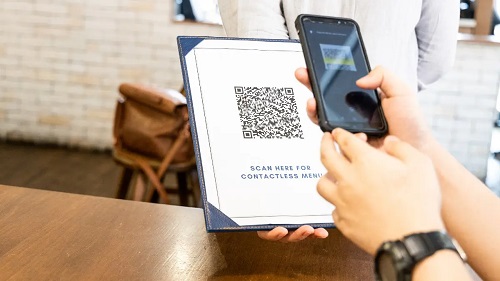
How to Scan QR Code From An Image
Deciphering QR codes from an image can prove to be challenging; however, with the appropriate tools and techniques, it becomes a relatively effortless endeavor. Generally, you need to follow these steps to start scanning QR codes from the image:
- Install a reputable QR code reader app on your smartphone or computer.
- Launch the application and seek out the option to upload an image. This feature is typically located in the app's menu section.
- Choose the image that encapsulates the QR code you wish to decipher. The image can be sourced from your device's photo gallery, or you can employ the device's camera to capture a new photograph of the QR code.
- Once the image is selected, the app will detect and scan the squares. After successful scanning, the app will display the encoded information.
- If the QR code is a URL, you may tap on it to access the website. If it contains text, you can copy and paste it into a document or message. If it has contact details, you can tap on it to initiate a call or email directly.
Bear in mind that the quality of the image can have a significant impact on the ability to scan the QR code. If the QR code is too small or too blurry, it may not be deciphered successfully.
Do you want to explore the world of QR codes? Try FormBot. Visit our website to learn more about how we can assist you using this QR reader.