Zip Forms: The Complete Guide to Smarter Document Management (2026)
Managing contracts, agreements, or consent forms manually can drain time and resources. What if you could simplify all that paperwork with a single tool? That’s where Zip Forms come in — a digital solution that streamlines document management for businesses, educators, HR teams, and event planners worldwide.
In this comprehensive guide, you’ll learn what Zip Forms are, how they work, their benefits, and how to implement them effectively in 2026.
What Are Zip Forms?
Zip Forms are digital form management tools designed to simplify the process of creating, sharing, signing, and storing documents online. Instead of dealing with paper forms or endless email attachments, users can build interactive, fillable forms that are easy to distribute and track.
These platforms are widely used by business owners, product managers, educators, event planners, and HR professionals to improve workflow efficiency and ensure compliance.
Key features of Zip Forms include:
Cloud-based document storage
Customizable templates
E-signature functionality
Secure sharing and tracking
Integration with productivity tools like Google Drive, Slack, and CRMs
Why Businesses Are Adopting Zip Forms in 2026
The global shift toward digital transformation continues to push organizations to adopt automated workflows. Zip Forms fit perfectly into this evolution — they reduce administrative overhead and speed up approval processes.
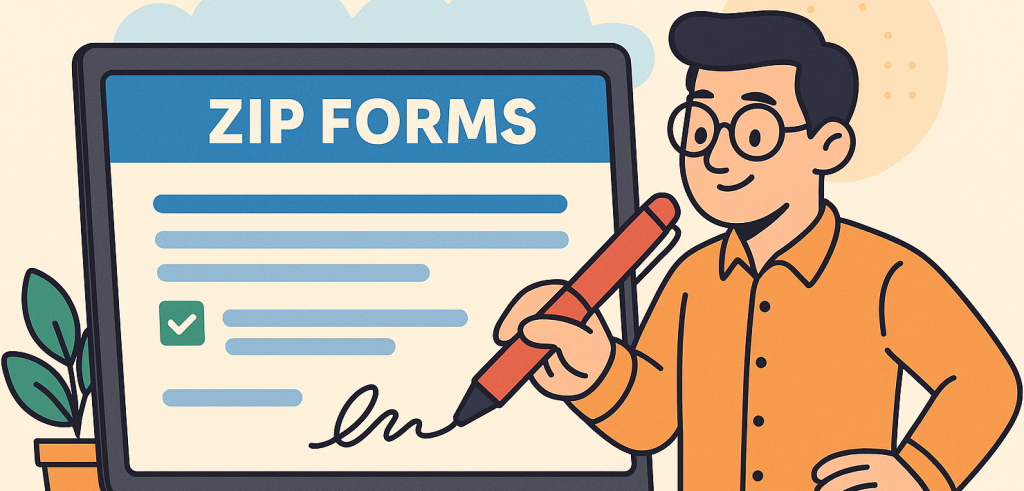
Here are the top reasons businesses are turning to Zip Forms:
1. Time-Saving Automation
Manual document management can consume hours. Zip Forms automate form creation, data collection, and distribution — allowing teams to focus on core business activities.
2. Improved Accuracy and Compliance
Automated validation fields and digital signatures ensure that all required data is accurate and legally binding. This reduces compliance risks, especially in industries like real estate, education, and HR.
3. Cost Efficiency
Printing, scanning, and mailing documents can be expensive. Zip Forms eliminate these costs while enhancing productivity.
4. Enhanced Security
Most Zip Forms platforms use encryption, role-based access, and audit trails — protecting sensitive data from unauthorized access.
Top Features That Make Zip Forms a Must-Have Tool
Whether you’re managing contracts or event registrations, Zip Forms provide an intuitive, secure, and efficient way to handle digital paperwork. Below are the standout features you should look for:
1. Pre-Built Templates
Easily create common forms such as:
Employment contracts
Registration forms
Feedback surveys
Purchase agreements
Consent and compliance documents
2. Digital Signatures
Built-in e-signature features make it simple to capture legally valid approvals from anywhere.
3. Cloud Integration
Save and access your forms across multiple devices with integrations to Google Drive, Dropbox, and OneDrive.
4. Data Collection and Analytics
Track who filled out forms, when they were signed, and analyze submission data to gain insights into performance or response trends.
5. Collaboration Tools
Multiple users can edit, review, and comment on forms in real time — promoting teamwork and faster decision-making.
How Zip Forms Work: A Step-by-Step Process
Here’s how professionals typically use Zip Forms in daily operations:
Choose or Create a Template: Start with a pre-designed form or build one from scratch using drag-and-drop tools.
Customize Fields: Add input fields like text boxes, dropdowns, and checkboxes to capture specific data.
Set Permissions: Define who can view, edit, or sign the document.
Share and Track: Send the form via email or a secure link.
Collect E-Signatures: Get instant digital approvals.
Store and Analyze: Automatically archive forms for future access and reporting.
This seamless workflow reduces delays and ensures no step is missed in the approval process.
Benefits of Using Zip Forms for Different Professionals
Let’s explore how different industries can benefit from Zip Forms in 2026.
1. For Business Owners
Business owners can use Zip Forms to handle contracts, vendor agreements, and invoices digitally — saving time and improving compliance.
2. For Product Managers
Streamline internal approvals, product testing feedback, and vendor communication using integrated digital forms.
3. For Educators & Course Creators
Collect enrollment details, feedback, and consent forms efficiently while maintaining student privacy.
4. For Event Planners
Create registration forms, sponsorship agreements, and vendor contracts all in one place — accessible anytime, anywhere.
5. For HR Professionals
Automate employee onboarding, policy acknowledgment, and performance review documentation securely.
How Zip Forms Enhance Security and Compliance
With increasing global data protection laws (like GDPR and HIPAA), compliance is non-negotiable. Zip Forms help organizations maintain legal and ethical standards by:
Using end-to-end encryption
Offering secure access control
Providing audit trails for each document
Supporting digital signature verification
These features make Zip Forms ideal for industries that prioritize confidentiality, such as healthcare, education, and finance.
Best Practices for Using Zip Forms in 2026
To maximize productivity and security, follow these tips:
Use Verified Templates: Ensure templates align with your industry standards and legal requirements.
Automate Repetitive Tasks: Set up workflows for recurring forms like client contracts or feedback surveys.
Regularly Update Access Controls: Keep permissions up to date to prevent unauthorized access.
Leverage Integrations: Connect Zip Forms with your CRM or project management software for seamless data flow.
Backup Regularly: Store copies in secure cloud storage for data redundancy.
Choosing the Right Zip Forms Platform
When selecting a Zip Forms solution, consider the following factors:
| Criteria | Description |
|---|---|
| Ease of Use | Drag-and-drop form builders and intuitive dashboards |
| Security Features | Encryption, two-factor authentication, audit logs |
| Integration | Compatibility with third-party tools |
| Support | 24/7 customer service and documentation |
| Pricing | Transparent and scalable subscription plans |
Platforms like FormBot are industry favorites for global users looking for flexibility and compliance.
Real-World Example: Zip Forms in Action
An international HR firm adopted Zip Forms in 2026 to digitize its employee onboarding process.
Results after 6 months:
65% faster form completion
40% reduction in administrative costs
99% fewer errors in employee data collection
This showcases how digital transformation with Zip Forms drives efficiency and accuracy.
Final Thoughts: Simplify Your Workflow with Zip Forms
In an era where speed and security are paramount, Zip Forms empower professionals to automate workflows, reduce paperwork, and enhance collaboration.
Whether you’re an HR manager or event planner, embracing digital forms is not just a tech trend — it’s a strategic move toward efficiency and sustainability.
👉 Ready to streamline your document management?
Sign up with FormBot today!
FAQs About Zip Forms
1. What are Zip Forms used for?
Zip Forms are digital tools for creating, sharing, and signing online documents such as contracts, registrations, and consent forms.
2. Are Zip Forms legally binding?
Yes. Most Zip Forms support digital signatures compliant with e-signature laws such as ESIGN and UETA.
3. Can Zip Forms integrate with other tools?
Absolutely. They integrate seamlessly with CRMs, Google Workspace, and cloud storage platforms.
4. How secure are Zip Forms?
They use SSL encryption, audit trails, and access controls to keep your documents and data secure.
5. Who can benefit from Zip Forms?
Business owners, educators, HR professionals, and event planners can all streamline workflows and enhance productivity with Zip Forms.
Get Started and Create Forms for Free?
 (1 votes, average: 5.00 out of 5)
 Loading...