Web Design Forms: The Complete Guide to Client Intake, Quotes, and Onboarding
Web design projects succeed or fail long before the first mockup is created. The fastest way to prevent scope creep, unclear requirements, and endless revisions is to start with the right web design forms—structured forms that collect the information needed to design, estimate, and deliver a website confidently.
Whether you’re a freelance designer, a growing agency, or a studio managing multiple projects, web design forms help standardize your workflow. Instead of chasing details across emails, calls, and scattered documents, you can gather project requirements in one place and keep everyone aligned from day one.
In this guide, you’ll learn what web design forms are, why they matter, the most important types of forms you should use, and the best practices for creating forms that clients actually complete.
What Are Web Design Forms?
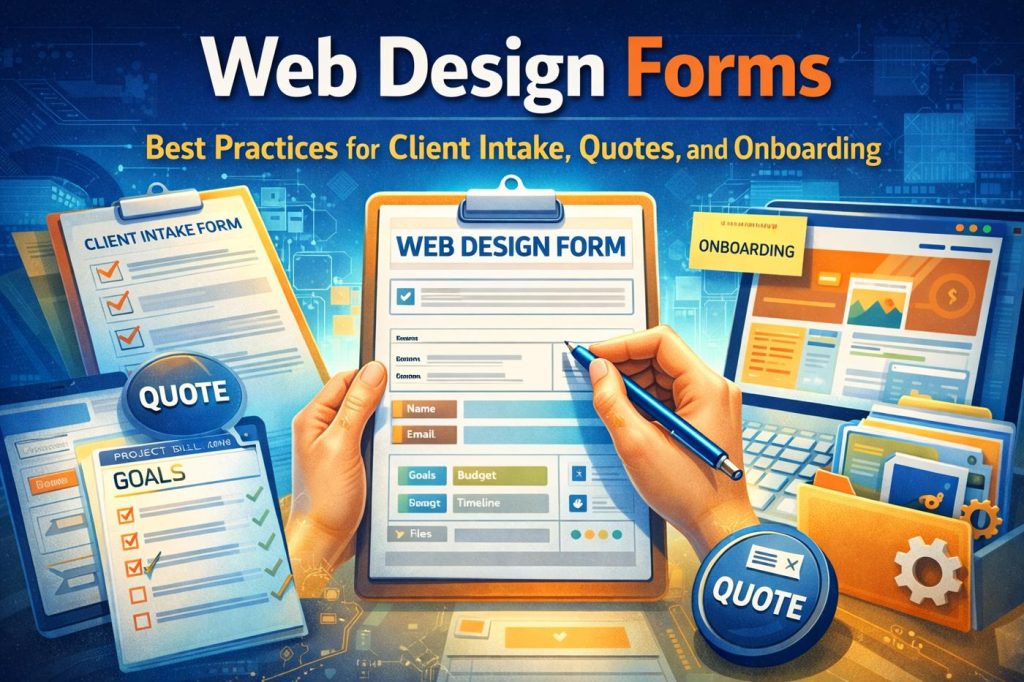
Web design forms are online forms used to collect website project information from potential clients or existing customers. They are commonly used by web designers, agencies, and digital studios to streamline the early stages of a project and ensure the right details are collected upfront.
Web design forms typically fall into three major categories:
Client intake forms (project requirements and goals)
Quote or estimate forms (scope and budget discovery)
Onboarding forms (assets, access, and content collection)
Many designers also use additional forms for post-launch feedback, website audits, redesign questionnaires, and ongoing maintenance requests.
Why Web Design Forms Matter
A web design form is not just a document—it’s a process tool that improves client communication and reduces project risk.
When a client fills out a structured form, they are forced to think about goals, branding, timeline, and functionality before the project begins. This creates clarity and prevents misunderstandings later.
Here’s what strong web design forms help improve:
Faster lead qualification
Forms help identify serious leads versus people who are “just browsing.” A few targeted questions about budget, timeline, and project needs can instantly filter out poor-fit prospects.
More accurate quotes
If you don’t collect requirements early, your quote becomes guesswork. A proper quote form reduces pricing errors and ensures you don’t undercharge.
Reduced scope creep
Scope creep often happens when expectations are unclear. Forms define what is included in the project, what features are needed, and what content is expected from the client.
Smoother onboarding
Onboarding forms help you collect assets like logos, brand colors, website content, and contact details without chasing clients repeatedly.
Better final results
When goals and success metrics are defined early, the final website is more likely to meet client expectations.
The 5 Web Design Forms Every Designer Should Have
If you want a streamlined client workflow, these are the most important forms to build.
1. Website Design Client Intake Form
This is the most important form for any web designer. A client intake form collects the essential details needed to understand what the client wants and what their business needs.
A strong intake form typically includes questions about business goals, target audience, competitor websites, preferred style, and required features.
This form should be used once a lead is qualified and you want to prepare a proposal or discovery call.
2. Web Design Quote Form
A quote form is designed to gather information specifically for pricing and estimating scope. It is often shorter than an intake form and focuses heavily on project type, required pages, features, budget, and timeline.
A web design quote form helps you avoid wasting time on leads who expect enterprise-level work for a low budget.
This form is ideal for agencies that receive high inbound traffic and want to qualify leads quickly.
3. Website Redesign Questionnaire
Redesign projects require different questions than new websites. A redesign form should identify what is currently wrong with the existing site and what the client wants to improve.
It should also include questions about analytics performance, top-performing pages, current conversion rates, and issues like slow loading speed, poor SEO, or outdated design.
This form is useful when the client already has a website and wants an upgrade.
4. Content and Asset Collection Form
Once the project begins, the most common delay is missing content. A content collection form helps gather:
logo files
brand guidelines
images
written copy
legal pages
contact details
product/service descriptions
This form ensures you don’t get stuck waiting for content halfway through the project.
It should be used immediately after contract signing.
5. Post-Launch Feedback Form
After you deliver the website draft or launch the final version, feedback can become chaotic. Clients may send scattered notes across email, messaging apps, or calls.
A feedback form organizes client responses into one structured workflow and prevents confusion.
This form is best used during staging review and final approval.
Web Design Intake Form Question Bank
A good web design intake form should be clear and easy to complete. The goal is to gather important information without overwhelming the client.
Below are the most effective questions to include.
Business Information
Start by collecting basic information about the business and decision-makers.
Ask questions such as:
What does your business do?
What products or services are most important?
Who is the main decision-maker for this project?
Website Goals and Objectives
Goals shape design and layout decisions, so this section is critical.
Examples include:
What is the main purpose of the website?
What action should visitors take?
How will you measure success?
Target Audience and Customers
Understanding the audience helps shape messaging, structure, and design style.
Good questions include:
Who is your target audience?
What problems do your customers need solved?
What makes your business different from competitors?
Competitor and Inspiration Websites
This is one of the best ways to clarify expectations.
Ask:
List 2–3 competitor websites
What do you like about them?
What do you dislike about them?
List 2–3 websites you like for design inspiration
Branding and Design Preferences
This section ensures your design aligns with the brand.
Ask questions like:
Do you have brand guidelines?
What colors should be used?
Do you have fonts you prefer?
Should the design feel modern, corporate, creative, minimal, or bold?
Required Pages and Features
This is where scope becomes clear.
Ask:
What pages are required?
Do you need a blog?
Do you need an ecommerce store?
Do you need appointment booking?
Do you need contact forms or lead capture forms?
Content Availability
Content readiness affects project timelines.
Ask:
Do you already have website content written?
Do you need help with copywriting?
Do you have professional images, or do you need stock photos?
Timeline and Budget
These questions prevent mismatched expectations.
Ask:
What is your desired launch date?
What is your budget range?
Is there a deadline tied to a campaign or event?
Best Practices for High-Converting Web Design Forms
A form is only useful if people complete it. The best web design forms follow proven UX and conversion principles.
Keep the form short
Long forms reduce completion rates. Only ask what you truly need at that stage.
Use simple language
Avoid technical design terms. Many clients don’t understand words like “responsive breakpoints” or “wireframes.”
Use multiple-choice when possible
Multiple-choice questions reduce typing and make the form easier to finish.
Ask one question per line
Single-question layout improves readability and works better on mobile.
Provide examples
Adding a short example below a question increases clarity and reduces vague answers.
Break long forms into sections
If the form is longer than 15 questions, break it into sections such as Goals, Design Preferences, Features, and Budget.
Make it mobile-friendly
Many clients fill forms from phones. Avoid long paragraphs, wide layouts, and large text fields unless necessary.
Common Mistakes to Avoid With Web Design Forms
Even professional designers make mistakes that reduce form performance.
Here are the most common problems:
Asking vague questions
Questions like “What do you want your website to look like?” lead to unclear answers. Always provide guidance or options.
Not collecting budget early
Without budget, you risk spending time on leads who cannot afford your service.
Ignoring content readiness
If you don’t ask about content, you may build a timeline that becomes unrealistic later.
Too many open-text fields
Clients get tired of typing. Balance text fields with checkboxes and dropdowns.
Not explaining the next step
Clients should know what happens after submitting the form. A simple message like “We’ll review and respond within 24–48 hours” improves trust.
How to Structure Web Design Forms for Better Client Experience
A strong form feels like a guided conversation.
The ideal structure is:
Basic details (name, business, contact info)
Goals and expectations
Design preferences and inspiration
Required pages and features
Timeline and budget
Final notes and file uploads
This flow keeps clients engaged because it starts simple and gradually moves into deeper questions.
FAQs About Web Design Forms
What is the best web design form for new clients?
A client intake form is the best starting point because it gathers goals, scope, design preferences, and project requirements.
How long should a web design intake form be?
Most effective forms include 10 to 20 questions. Longer forms may reduce completion rates unless broken into multiple steps.
Should I include budget in a web design quote form?
Yes. Budget ranges are one of the best ways to qualify leads and avoid misalignment.
Can web design forms replace discovery calls?
Not completely. Forms help prepare for discovery calls and reduce meeting time, but calls are still useful for clarifying priorities and building trust.
Final Thoughts
If you want smoother web design projects, fewer revisions, and faster client onboarding, start with better web design forms.
A strong intake form clarifies project goals, a quote form improves lead qualification, and an onboarding form ensures you collect content and assets without delays. Over time, these forms become one of the most valuable systems in your design business, helping you deliver faster and scale your workflow without sacrificing quality.
Get Started and Create Forms for Free?
 (1 votes, average: 5.00 out of 5)
 Loading...