Team Builder Form – Complete Guide to Creating High-Converting Team Building Forms
Building an effective team requires more than simply assigning people to a project. Strong teams are formed by understanding skills, availability, communication styles, and collaboration preferences. A team builder form helps you collect structured information so you can create balanced teams, improve teamwork, and reduce project risks.
Whether you are an HR professional, team lead, startup founder, or project manager, using a team builder form allows you to gather consistent data from employees or participants. Instead of relying on emails, spreadsheets, or informal conversations, you can use a structured form to simplify decision-making and improve transparency.
This guide explains what a team builder form is, why it matters, what questions to include, and how to structure one for maximum impact.
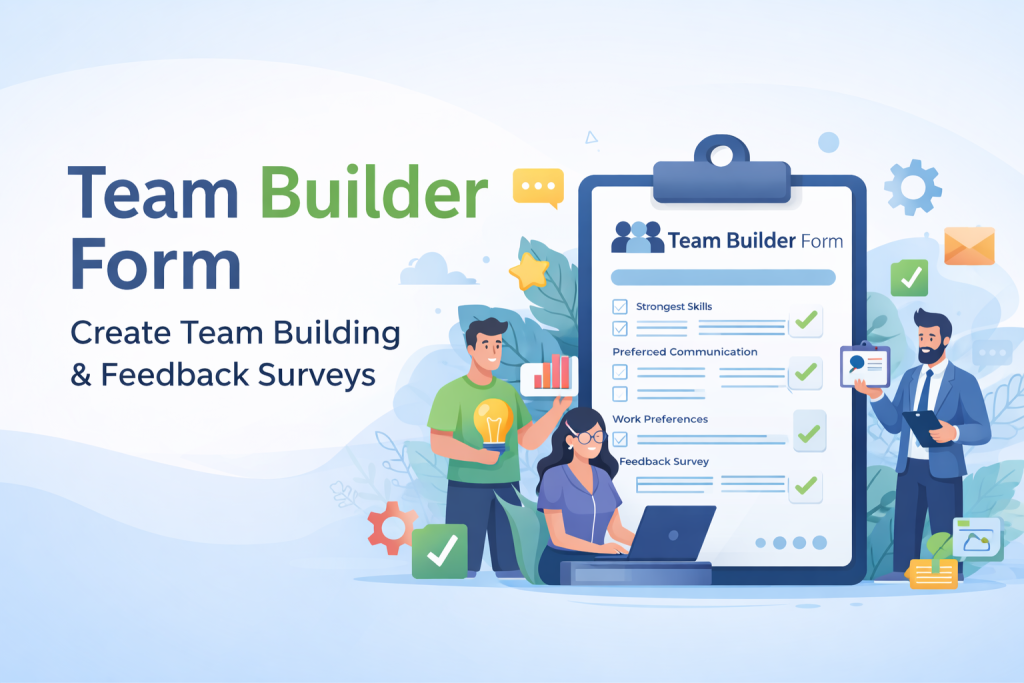
What Is a Team Builder Form?
A team builder form is an online form designed to collect information that helps in forming, managing, or improving teams. It can be used before a project begins, during team formation, or after team-building activities to gather feedback.
A team builder form may also function as:
A team building questionnaire
A team building survey template
A team feedback form
An employee engagement survey
The goal is simple: collect useful, structured insights that help leaders make better decisions about team composition and collaboration.
Why Use a Team Builder Form?
1. Reduce Guesswork in Team Assignments
Without structured input, team assignments are often based on assumptions. A team builder form collects measurable information about skills, interests, and availability, leading to more informed decisions.
2. Match Skills to Roles Effectively
A well-designed form captures technical skills, soft skills, certifications, and experience levels. This ensures the right person is assigned to the right role.
3. Improve Communication and Collaboration
By collecting data about preferred communication styles and work habits, leaders can identify potential friction points early and design smoother workflows.
4. Increase Employee Engagement
When employees are asked about their interests, goals, and preferences, they feel more involved in the team-building process. This can increase motivation and participation.
5. Create a Feedback Loop
A team builder form can also serve as a team feedback form after projects or team-building events. This allows continuous improvement instead of one-time evaluation.
Common Use Cases for a Team Builder Form
HR and Organizational Development
HR departments use team building questionnaires to:
Form cross-functional working groups
Assign mentors or peer partners
Collect feedback after training sessions
Plan team-building activities
Measure employee engagement
Project-Based Team Formation
Project managers use team builder forms to:
Assess skill availability
Determine workload capacity
Assign leadership roles
Understand time zone differences
Identify constraints before project kickoff
Remote and Hybrid Teams
For remote environments, team builder forms help gather:
Preferred meeting times
Collaboration tool preferences
Communication style preferences
Comfort with remote work
Team-Building Event Planning
A team building survey template can collect:
Preferred activity types
Dietary restrictions
Scheduling availability
Accessibility considerations
Goals for the event
Key Sections to Include in a Team Builder Form
To ensure your form collects meaningful data, structure it into clear sections.
Section 1: Basic Information
Full name
Department or team
Job role
Location or time zone
Contact email
This ensures clarity and proper organization of responses.
Section 2: Skills and Expertise
Understanding team capabilities is critical.
Example questions:
What are your strongest skills relevant to this project?
List tools or software you are proficient in.
What areas would you like to improve?
Rate your leadership experience (Beginner to Advanced).
Use multiple-choice and rating scales for easier data analysis.
Section 3: Availability and Capacity
Team success depends on realistic workload planning.
Example questions:
How many hours per week can you commit?
What is your current workload level?
Are there any scheduling constraints?
Preferred meeting time windows?
Section 4: Work Preferences and Communication Style
This section prevents future misunderstandings.
Example questions:
Do you prefer structured roles or flexible collaboration?
Preferred communication method (chat, email, video calls)?
How do you prefer to receive feedback?
Do you prefer independent work or team collaboration?
Section 5: Team Goals and Expectations
Clarifying expectations improves team alignment.
Example questions:
What would make this team successful in your view?
What challenges have you experienced in previous teams?
What support do you need to perform effectively?
Section 6: Team Feedback (Optional)
If using the form after an event or project:
Rate overall team experience.
What worked well?
What should be improved?
Did communication meet expectations?
Would you join a similar team again?
Sample Team Builder Form Template
Below is a ready-to-use question structure.
Project Team Builder Template
Which project are you interested in joining?
What role would you prefer?
List your top three relevant skills.
How many hours per week can you dedicate?
What time zone are you in?
Preferred collaboration tools?
Any known constraints?
What support would help you succeed?
Team Building Survey Template
What goals should our next team activity focus on?
Preferred activity format (virtual/in-person/mixed)?
Any restrictions or considerations?
Rate your current connection with the team (1–5).
Suggestions for improving teamwork?
Team Feedback Form Template
Rate overall team performance (1–5).
What worked effectively?
What could improve?
Did the team communicate clearly?
Would you participate in future projects with this team?
Best Practices for Designing a Team Builder Form
Keep It Clear and Focused
Avoid unnecessary questions. Aim for 8–15 well-structured questions.
Use Structured Answer Formats
Use checkboxes, dropdowns, and rating scales where possible. This makes analysis easier.
Keep Language Simple
Avoid technical jargon unless necessary. Questions should be clear and easy to understand.
Organize Questions Logically
Group related questions into sections. This improves completion rates.
Make It Mobile-Friendly
Ensure the form works smoothly on phones and tablets.
Analyze Responses Promptly
The value of a team builder form lies in how quickly insights are used to improve team structure.
Frequently Asked Questions
What is the purpose of a team builder form?
A team builder form collects structured data about skills, preferences, and availability to create balanced and effective teams.
How many questions should a team builder form include?
Ideally between 8 and 15 questions, depending on whether the form is used for team creation, feedback, or event planning.
What is the difference between a team builder form and a team building questionnaire?
A team builder form focuses on assigning or organizing teams. A team building questionnaire often focuses on feedback and improving collaboration.
Can a team builder form improve employee engagement?
Yes. When employees share input about preferences and goals, they feel more involved and valued, which increases engagement.
Conclusion
A well-designed team builder form provides clarity, structure, and insight into team composition and collaboration. Whether used for project staffing, HR planning, or post-event feedback, it ensures decisions are based on real data rather than assumptions.
By collecting information about skills, availability, communication preferences, and expectations, organizations can form balanced teams, reduce conflict, and improve performance.
Using a structured team building questionnaire or survey template allows you to build better teams—faster, smarter, and with greater alignment.
Get Started and Create Forms for Free?
 (1 votes, average: 5.00 out of 5)
 Loading...