Scheduling Form Template: Create Online Appointment Booking Forms Easily
Managing appointments, meetings, and bookings manually can quickly become overwhelming. Whether you run a consulting business, healthcare practice, agency, or service company, a scheduling form template makes the booking process simple and automated.
Instead of exchanging multiple emails to confirm meeting times, businesses can use an online scheduling form to allow customers, clients, or employees to select available time slots instantly.
With tools like Formbot, you can easily create a customizable appointment scheduling form template that collects essential information, prevents double bookings, and streamlines scheduling.
In this guide, you’ll learn everything about scheduling forms, including benefits, features, examples, and how to create one.
What Is a Scheduling Form Template?
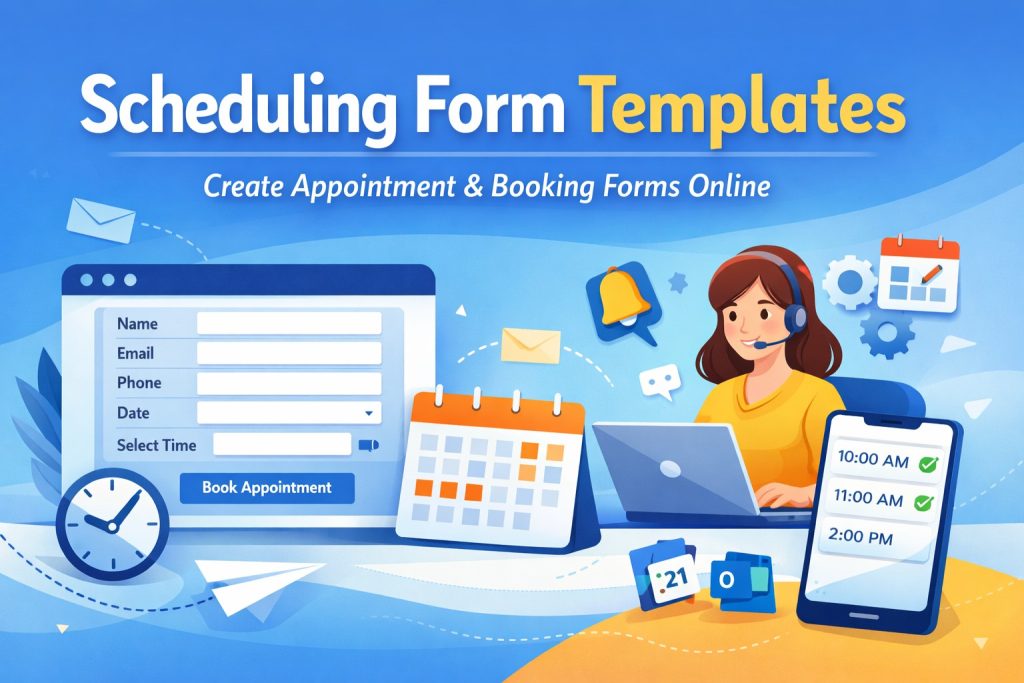
A scheduling form template is a pre-designed online form used to book appointments, meetings, or services by selecting available dates and times.
Typically, it collects information such as:
Name
Email address
Phone number
Preferred date and time
Type of service or meeting
Additional notes
These forms allow businesses and professionals to manage appointments efficiently while eliminating scheduling conflicts.
Scheduling forms are widely used by industries such as healthcare providers, consultants, educational institutions, and service-based businesses.
Why Businesses Need an Online Scheduling Form
Many businesses still rely on manual scheduling through email or phone calls. However, this approach wastes time and can lead to missed appointments.
Using an appointment scheduling form template provides several advantages.
1. Automates Appointment Booking
A scheduling form allows clients to book appointments instantly without waiting for confirmation emails.
2. Prevents Double Bookings
Integration with calendar tools ensures that only available time slots are shown.
3. Saves Time
Instead of managing emails and messages, businesses can automatically organize appointments in one system.
4. Improves Customer Experience
Customers prefer quick and convenient booking options.
5. Available 24/7
Clients can schedule appointments anytime, even outside business hours.
Key Features of a Scheduling Form Template
A high-quality booking form template should include several essential features to ensure seamless scheduling.
1. Customizable Fields
Businesses can collect specific information based on their requirements.
Examples:
Client details
Meeting purpose
Service selection
Location preferences
2. Calendar Integration
A scheduling form should integrate with tools like:
Google Calendar
Outlook
CRM systems
This ensures all appointments are automatically added to calendars.
3. Automated Notifications
Confirmation emails and reminders can be sent automatically to reduce no-shows.
4. Mobile-Friendly Design
Many users schedule appointments from smartphones, so the form must work smoothly on mobile devices.
5. Drag-and-Drop Builder
Tools like Formbot allow users to build scheduling forms without coding.
Types of Scheduling Form Templates
Different businesses require different scheduling forms. Here are common types.
Appointment Scheduling Form
Used by doctors, therapists, consultants, and service providers.
Example fields:
Patient name
Appointment date
Service type
Meeting Scheduling Form
Used by companies to schedule sales calls, consultations, or team meetings.
Example fields:
Meeting topic
Preferred time slot
Company name
Booking Form Template
Used for reservations such as:
Hotels
Events
Training sessions
Workshops
Appointment Request Form
This type of form collects appointment preferences and allows businesses to confirm availability later.
Industries That Use Scheduling Forms
Scheduling forms are useful in many industries.
Healthcare
Doctors and clinics use appointment scheduling forms to manage patient visits.
Consulting
Consultants allow potential clients to book discovery calls.
Education
Teachers schedule parent-teacher meetings or student sessions.
Service Businesses
Businesses such as salons, fitness trainers, and repair services manage bookings easily.
Agencies
Marketing and design agencies schedule project consultations.
How to Create a Scheduling Form Template
Creating a scheduling form using Formbot is simple.
Step 1: Choose a Template
Start with a pre-built scheduling form template.
Step 2: Add Form Fields
Include fields such as:
Name
Email
Phone number
Appointment date
Time slot
Service type
Step 3: Set Available Time Slots
Define when appointments can be scheduled.
Step 4: Enable Notifications
Send confirmation emails and reminders automatically.
Step 5: Publish and Share
Embed the form on your website or share it via a link.
Best Practices for Scheduling Forms
To maximize conversions and improve user experience, follow these best practices.
Keep Forms Short
Only collect essential information.
Show Available Time Slots Clearly
Make the booking process easy.
Use Confirmation Messages
Provide appointment details immediately.
Add Reminder Emails
Send reminders to reduce missed appointments.
Optimize for Mobile
Ensure your form works smoothly on smartphones.
Why Use Formbot for Scheduling Forms
Formbot provides a powerful and user-friendly platform for creating scheduling forms.
Easy Form Builder
No coding required to create professional forms.
Custom Templates
Start quickly with pre-designed scheduling templates.
Automation
Automatically send confirmation emails and notifications.
Integrations
Connect with calendars and other tools.
Secure Data Collection
Protect user information with secure form submissions.
Example Scheduling Form Template
A typical meeting scheduling form may include:
Personal Information
Name
Email
Phone number
Appointment Details
Preferred date
Preferred time
Service type
Additional Information
Notes or special requests
Benefits of Using Scheduling Forms for Businesses
Scheduling forms help businesses operate more efficiently.
Increase Productivity
Automating bookings reduces administrative work.
Reduce Errors
Automated systems prevent scheduling mistakes.
Improve Client Experience
Clients enjoy fast and convenient booking.
Better Time Management
Businesses can organize schedules more effectively.
Final Thoughts
A scheduling form template is one of the most powerful tools for businesses that manage appointments, meetings, or service bookings.
By implementing an online appointment scheduling form, companies can automate booking workflows, improve customer experience, and save valuable time.
With Formbot, creating a professional scheduling form is quick and easy. Whether you need a meeting scheduling form, booking form template, or appointment request form, Formbot provides the tools to build customized forms that simplify scheduling.
Start building your scheduling form today and streamline your appointment management.
Get Started and Create Forms for Free?
 (1 votes, average: 5.00 out of 5)
 Loading...