RSVP Forms: The Simple Way to Collect Event Responses and Manage Guests
Planning an event is exciting—until responses start coming in from everywhere. Some guests reply by text, others by email, and a few don’t reply at all. That’s where rsvp forms become a game-changer. With a clean online form, you can collect responses in one place, track attendance instantly, and reduce last-minute confusion.
Whether you’re managing a corporate meetup, training session, webinar, workshop, or private celebration, RSVP forms help you stay organized. Business owners, educators, event planners, product managers, and HR teams all benefit from a simple system that saves time and improves turnout.
This guide breaks down what RSVP forms are, how to create them, and how to use them to manage guests like a pro.
What Are RSVP Forms?
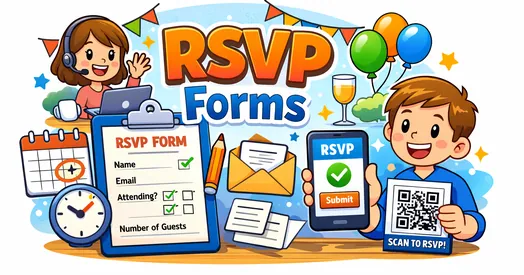
RSVP forms are online forms that collect guest responses for an event. Instead of asking people to respond in multiple channels, you provide one link where they can confirm attendance and share details such as guest count, preferences, or dietary restrictions.
Most RSVP forms are easy to create and share, and they give you a real-time guest list. They also reduce manual work and help you avoid missing important information.
What Can You Collect Using RSVP Forms?
Name and contact details
Attendance confirmation (Yes/No/Maybe)
Number of guests
Meal preferences or dietary needs
Session or time slot selection
Special requests
When used correctly, RSVP forms make planning smoother for both hosts and guests.
Why RSVP Forms Are Essential for Modern Events
Events depend on accurate attendance. If you don’t know who is coming, you can’t plan the budget, venue, seating, food, or materials. RSVP forms solve that problem by keeping responses centralized and structured.
Here’s why RSVP forms matter for different audiences:
For Event Planners
Build and manage a guest list instantly
Reduce missed responses
Track updates without manual follow-ups
For Business Owners
Collect RSVP responses for launches, webinars, or client events
Plan logistics more accurately
Improve customer experience
For HR Professionals
Manage training sessions and internal meetings
Track participation
Simplify communication with employees
For Educators and Course Creators
Collect attendance for workshops and live classes
Offer session choices
Send reminders and follow-ups
For Product Managers
Run user events, demos, or research sessions
Gather attendee info for segmentation
Keep event data organized
A reliable RSVP system makes your event look more professional and reduces stress.
RSVP Forms vs Traditional RSVP Methods: What’s Better?
People still use email and phone calls for RSVPs, but those methods often lead to confusion.
Traditional RSVP Problems
Responses are scattered across email threads and chats
Guest counts change without clear tracking
Organizing data takes time
You miss details like meal preferences
Why RSVP Forms Work Better
Responses go to one centralized dashboard
You can automate confirmations and reminders
Guest list updates in real time
You can export data for reporting and planning
If you want fewer no-shows and better guest management, RSVP forms are the smarter option.
How to Create RSVP Forms That Get More Responses
The best RSVP forms feel quick and easy to complete. A complicated form can reduce response rates.
Here’s how to build RSVP forms that people actually finish:
1. Start with a Clear Event Title
Your form title should instantly explain the event. For example:
“Company Town Hall RSVP”
“Workshop Registration RSVP”
“Team Offsite Attendance Form”
This reduces confusion and helps guests respond faster.
2. Keep the Form Short
Ask only what you truly need. Most RSVP forms should include:
Name
Attendance status
Number of guests
Email or phone (optional but helpful)
If your form takes more than a minute, many people will abandon it.
3. Add Smart Conditional Logic
Conditional logic keeps your RSVP form clean. For example:
If guest selects “Yes,” show meal preference options
If guest selects “No,” hide extra questions
If guest selects “Maybe,” ask for an estimated decision date
This improves user experience and keeps your form neat.
4. Confirm Submission Immediately
A strong confirmation message reduces uncertainty. Use:
“Thanks! Your RSVP has been recorded.”
“We’ll send you event details soon.”
Better yet, send an automated email confirmation.
What to Include in an RSVP Form (Checklist)
A complete RSVP form should cover the basics while staying simple.
Must-Have RSVP Form Fields
Full name
Attendance option: Yes / No / Maybe
Email address or phone
Number of guests
Helpful Add-Ons (Based on Event Type)
Dietary preferences (vegetarian, allergies)
Session selection (workshops, time slots)
Transportation needs
Comments or special requests
Nice-to-Have Features
Calendar invite download link
Location and map link
Event agenda section
This structure supports better guest list management and event planning accuracy.
Best Practices for Sharing RSVP Forms
Even the best online RSVP form won’t help if people don’t see it. Use smart sharing methods.
Where to Share RSVP Forms
Email invitations
WhatsApp group messages
Event landing pages
Social media event posts
QR codes on posters or printed invites
Tips for Higher RSVP Rates
Use a simple call-to-action: “RSVP in 10 seconds”
Share the deadline clearly
Send one reminder halfway to the deadline
Send a final reminder close to the deadline
Clear messaging improves response rates and reduces last-minute follow-ups.
How RSVP Forms Reduce No-Shows
No-shows are frustrating and expensive. RSVP forms help reduce them with automation and tracking.
Ways RSVP Forms Cut No-Shows
Automatic confirmation messages increase commitment
Reminders keep the event top of mind
You can follow up with “Maybe” responses
You can send event details to confirmed attendees only
When guests feel informed and acknowledged, they’re more likely to attend.
Use Cases: RSVP Forms for Different Groups
RSVP forms aren’t just for weddings or parties. They’re used across business, education, and workplace events.
Corporate Events and Meetups
Use RSVP forms to:
Collect attendance for networking events
Gather dietary preferences
Track guest lists by department or role
Workshops and Training Sessions
Use RSVP forms to:
Limit seats and manage capacity
Collect prerequisites
Provide session selection options
Webinars and Online Events
Use RSVP forms to:
Capture email addresses
Send the joining link automatically
Track attendance interest
HR and Internal Events
Use RSVP forms to:
Track employee participation
Manage internal event planning
Collect topic suggestions
RSVP forms make even large events manageable.
Common Mistakes to Avoid With RSVP Forms
Avoiding these errors will improve your response rate and reduce event chaos.
Asking too many questions
Not including a clear event date and time
Forgetting to send confirmation messages
Not setting an RSVP deadline
Using forms that aren’t mobile-friendly
Simple fixes can make RSVP forms far more effective.
FAQs About RSVP Forms
1. What are RSVP forms used for?
RSVP forms are used to collect guest responses for events. They help confirm attendance, gather preferences, and create a reliable guest list.
2. How do I share an online RSVP form?
You can share RSVP forms through email, messaging apps, event pages, social media, or QR codes on printed materials.
3. Can RSVP forms track guest list changes?
Yes. Most RSVP forms update responses in real time, so you can track attendance changes without manual updates.
4. What should an RSVP form include?
A good RSVP form includes name, attendance status, number of guests, and contact details. You can also add preferences like meals or session selection.
5. How do RSVP forms help reduce no-shows?
They reduce no-shows by sending confirmation messages, enabling reminders, and helping you follow up with uncertain attendees.
Final Thoughts: Make Event Planning Easier With RSVP Forms
Event planning gets much easier when you stop chasing responses. With rsvp forms, you can collect answers in one place, manage your guest list efficiently, and reduce no-shows—without stress.
If you want to create professional RSVP forms that look great, work on mobile, and make guest tracking effortless, start today.
Create your RSVP forms in minutes
Register now: https://platform.formbot.com/register/
Turn every RSVP into a smoother event experience.
Get Started and Create Forms for Free?
 (1 votes, average: 5.00 out of 5)
 Loading...