Lease Agreement Creator: The Fast, Reliable Way to Create Rental Contracts
Have you ever needed to prepare a rental contract quickly—but didn’t know where to start? A lease agreement creator makes it easy to build clear, professional lease documents without starting from scratch. Instead of using outdated templates or manually writing clauses, you can generate a lease agreement in minutes, customize it for your needs, and keep everything organized.
Whether you’re a business owner managing property, a product manager building workflows, an educator handling housing programs, an event planner coordinating venue rentals, or an HR professional supporting staff accommodation, lease documents are critical. This guide explains what a lease agreement creator is, why it matters, and how to use it to create contracts that are accurate, easy to sign, and simple to manage.
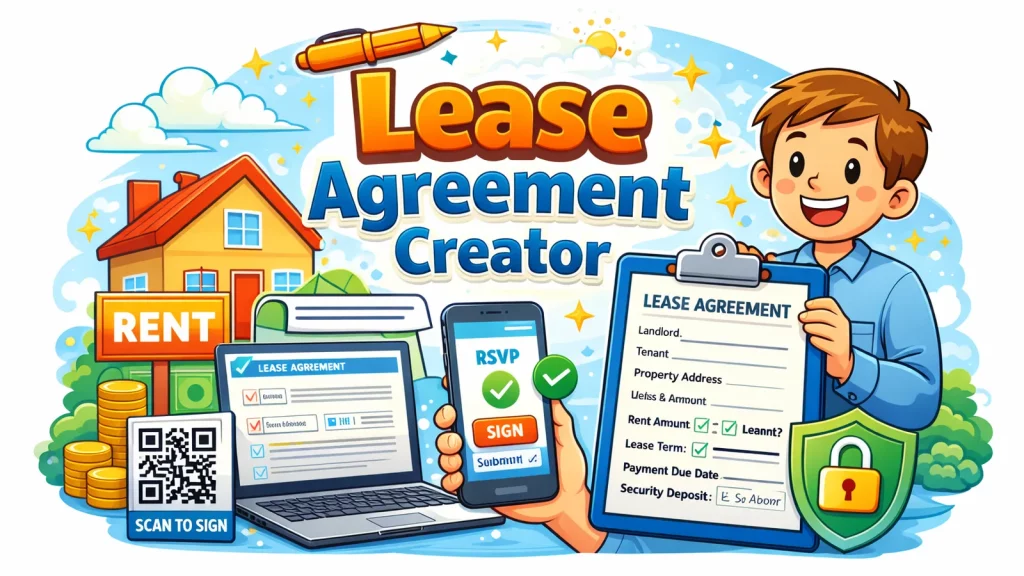
What Is a Lease Agreement Creator?
A lease agreement creator is an online tool that helps you generate a legally structured lease document by filling in key details such as rent amount, lease term, tenant information, and property rules. Instead of manually drafting a contract, you follow a guided flow—like a form—and the tool assembles the agreement in a clean format.
The best lease agreement creators also allow you to:
Customize clauses
Add property rules and conditions
Export agreements as PDF
Collect signatures digitally
Store contracts securely online
For teams that handle repeated rentals or recurring agreements, a lease agreement creator saves time and reduces mistakes.
Why Lease Agreements Matter More Than People Think
Lease agreements aren’t just paperwork. They protect both parties and set clear expectations.
When lease terms are unclear, you risk:
Payment disputes
Confusion about utilities or maintenance
Unclear move-in or move-out rules
Problems with deposits and damages
Legal headaches later
A strong online lease agreement helps prevent these issues. It acts as a reference point, a proof document, and a clear set of rules.
Even if you’re not a full-time landlord, lease agreements are useful for:
Office or warehouse rentals
Event venue rentals
Staff accommodation support
Student housing programs
Equipment or space leasing
That’s why having a lease agreement creator is valuable across many industries.
Who Benefits from a Lease Agreement Creator?
A lease agreement creator is not only for landlords. Many professionals use rental contracts in different ways.
Business Owners
Business owners often rent:
Retail spaces
Warehouses
Equipment
Short-term office spaces
A lease agreement creator helps them generate agreements faster and keep documents organized.
Product Managers
Product teams often need structured workflows for approvals and documentation. A lease agreement creator can support:
Contract standardization
Internal approval steps
Digital signing processes
Storage and audits
Educators and Course Creators
Educational institutions sometimes manage:
Student housing programs
Campus rentals
Training center space agreements
A lease agreement creator reduces administrative work and supports consistent documentation.
Event Planners
Event planners often lease:
Venues
Equipment
Booth spaces
Temporary locations
A lease agreement creator makes it easier to confirm terms, payment schedules, and responsibilities.
HR Professionals
HR teams may handle:
Staff housing support
Temporary accommodation agreements
Relocation-related rentals
Using a lease agreement creator improves consistency and helps protect employee and company interests.
Lease Agreement Creator vs Lease Contract Template: What’s Better?
Many people use a lease contract template downloaded online. While that can work, templates often lead to mistakes.
Lease Contract Template Limitations
Hard to customize without editing skills
Missing key clauses for your region
Risk of outdated or incomplete language
Doesn’t support digital signatures
Easy to forget important fields
Why a Lease Agreement Creator Works Better
A lease agreement creator is structured and guided, which means:
You won’t forget critical sections
The format stays consistent
You can update details quickly
You can reuse agreement styles
Signing and storage are easier
A rental agreement generator is especially helpful if you create multiple leases each month or manage contracts for different locations.
What Information Should a Lease Agreement Include?
A lease agreement creator typically asks for the key details required to build a proper agreement.
Core Lease Details
Landlord and tenant names
Property address or rental item details
Lease start and end date
Rent amount and payment schedule
Security deposit terms
Rules and Responsibilities
Maintenance responsibility
Utilities and fees
Repairs and damage policy
Subletting rules
Pet policy (if applicable)
Important Legal Sections
Termination and renewal terms
Late payment penalties
Move-out inspection rules
Dispute resolution clause
The best lease agreements are clear, specific, and easy to understand.
How to Create a Lease Agreement Step by Step
Using a lease agreement creator is simple. Here’s a process you can follow.
Step 1: Choose the Lease Type
Decide what you’re renting:
Residential space
Commercial space
Short-term rental
Equipment or facility lease
Step 2: Fill in Tenant and Property Details
Add accurate information. Incorrect names or addresses can cause issues later.
Step 3: Set Rent and Deposit Terms
Clarify:
Monthly rent
Payment due date
Accepted payment methods
Security deposit conditions
Step 4: Add Rules and Clauses
Use pre-built clauses and edit them as needed. A lease agreement creator makes this much easier than a blank document.
Step 5: Review and Export
Review the agreement carefully. Then export it as a PDF or share it digitally.
Step 6: Collect Digital Signatures
Using a digital signature for lease makes signing faster and keeps everything traceable.
Step 7: Store the Agreement Securely
Online form storage and secure document storage helps keep contracts safe and searchable.
This workflow is faster, cleaner, and more reliable than manual drafting.
Best Practices to Create Strong Lease Agreements
A lease agreement is only useful if it’s clear and enforceable. These tips help ensure quality.
1. Keep Language Simple
A strong lease agreement does not need complicated wording. Use plain language that both parties understand.
2. Define Payment Terms Clearly
State:
Amount due
Due date
Late fee details
Grace period rules (if any)
Clarity here prevents most disputes.
3. Document Responsibilities
Specify who pays for:
Electricity, water, internet
Repairs and maintenance
Property damage
Clear responsibilities protect both landlord and tenant.
4. Include a Checklist for Move-In and Move-Out
Add sections for:
Condition at move-in
Inspection steps
Deposit deductions policy
This reduces disagreements about damage and refunds.
5. Use Digital Signing and Online Storage
An online lease agreement is easier to manage when it includes:
Digital signature tracking
Submission logs
Secure document access
A lease agreement creator makes this process smooth.
Common Mistakes to Avoid With Lease Agreement Creators
Even with tools, mistakes happen when people skip details. Avoid these errors:
Leaving out tenant ID or contact information
Not specifying deposit return conditions
Forgetting to mention utilities responsibility
Using generic clauses that don’t match reality
Not reviewing before signing
Storing leases in scattered email threads
A lease agreement creator helps reduce risk, but review and organization still matter.
How Lease Agreement Creators Support Faster Workflows
Lease agreements often involve multiple steps:
Drafting
Reviewing
Editing
Signing
Storing
Renewing
A lease agreement creator speeds up all these steps by using structured input and reusable templates.
Benefits of Digital Lease Workflows
Faster document creation
Cleaner approvals
Easier renewals
Quick access for audits or disputes
Better consistency across agreements
This is especially useful for businesses and HR teams managing multiple rentals or recurring leases.
How to Choose the Right Lease Agreement Creator
Not every tool is reliable. Here’s a quick checklist to evaluate options.
Lease Agreement Creator Checklist
Easy-to-use interface (no legal drafting needed)
Customizable lease clauses
Export to PDF or share link
Supports digital signatures
Secure storage and access controls
Templates for different lease types
Works well on mobile and desktop
Choosing the right lease agreement creator helps you avoid contract errors and reduce workload.
FAQ: Lease Agreement Creator
1. What is a lease agreement creator?
A lease agreement creator is an online tool that helps you generate lease contracts by filling in key rental details, rules, and payment terms.
2. Is a lease agreement creator better than a lease contract template?
Yes. A lease agreement creator is guided, reduces missing information, supports customization, and often includes digital signing and storage options.
3. Can I create an online lease agreement without legal knowledge?
Yes. Most tools use simple inputs and structured templates so you don’t need legal expertise to create a professional document.
4. Can I sign leases digitally?
Yes. Many platforms support a digital signature for lease, making it easy to sign remotely and track completion.
5. How should I store lease agreements online?
Use secure storage with access control. Avoid scattered storage across emails. A centralized dashboard is best for search and retrieval.
Final Thoughts: Create Leases Faster and Manage Them Better
Lease agreements are one of those documents you don’t want to rush—or redo. A lease agreement creator helps you draft rental contracts quickly while keeping them organized, consistent, and easy to sign.
If you want a smoother way to build, share, and store lease agreements without manual work, start with a modern platform designed for structured workflows.
Create your lease agreements faster
Register now: https://platform.formbot.com/register/
Turn lease paperwork into a clean, efficient process.
Get Started and Create Forms for Free?
 (1 votes, average: 5.00 out of 5)
 Loading...