The Ultimate Guide to Choosing the Right Invoice Template for Your Business
Have you ever sent an invoice and wondered if your clients understood everything clearly—or worried that your billing format looked unprofessional? A smart, well-designed invoice template can solve these problems instantly. Whether you’re running a business, managing products, planning events, teaching courses, or handling HR tasks, the right invoice template will save time, reduce errors, and help you collect payments faster in 2026 and beyond.
In this complete guide, you’ll learn how invoice templates work, why they matter, and how to choose or create one that matches your business needs. This article is perfect for business owners, product managers, educators, event planners, and HR professionals who want an efficient billing process without stress.
What Is an Invoice Template?
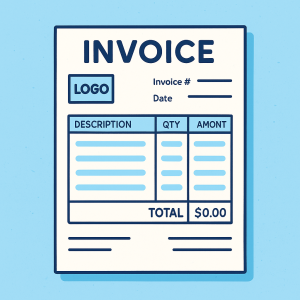
An invoice template is a pre-designed billing layout that helps businesses request payment for products or services. Instead of creating invoices from scratch, a template provides a structured format containing essential fields such as client details, services provided, pricing, totals, tax, and payment terms.
A great invoice template boosts clarity, reduces mistakes, and speeds up the payment process. It also ensures your business looks professional and organized.
Why Using an Invoice Template Matters
Using a consistent, polished invoice template is more than just a design choice—it’s a workflow improvement. Below are some key benefits.
1. Saves Time and Increases Efficiency
You don’t need to rebuild invoices every time. Just duplicate, customize, and send.
2. Reduces Billing Errors
Pre-filled sections ensure nothing important—like dates, totals, or terms—is accidentally missed.
3. Enhances Professionalism
A clean invoice helps clients trust your business and encourages them to pay promptly.
4. Supports Branding
You can add:
logos
brand colors
brand fonts
contact details
This builds consistency across all client communication.
5. Helps Organize Your Finances
Invoice templates make it easier to track:
outstanding payments
paid invoices
recurring billing
tax calculations
Types of Invoice Templates You Can Use
Different industries and professionals require different invoice layouts. Here are the most common types.
1. Simple Invoice Template
A minimalist one-page format that includes:
Business name
Client information
List of services/products
Total due
Perfect for freelancers, consultants, and educators.
2. Service Invoice Template
Used for professional services such as:
project work
hourly consulting
coaching sessions
event planning
This template usually includes itemized service descriptions and hourly rates.
3. Product Invoice Template
Best for businesses selling physical goods. It includes:
SKU
product name
quantity
price per unit
shipping
4. HR & Employee Invoice Templates
Useful for:
contract staff
training reimbursements
employee expense claims
These templates help HR teams manage repetitive billing processes.
5. Event Invoice Template
Event planners use this for:
venue booking
equipment rentals
catering
staffing fees
This template often includes deposits and milestone payment terms.
What a High-Quality Invoice Template Should Include
To avoid complications, ensure your invoice template includes the following elements:
Essential Invoice Components
Invoice number
Invoice date
Client name & address
Your company information
Service/product descriptions
Quantity or hours
Rates or pricing
Subtotal & tax
Discounts (if any)
Total amount due
Payment terms
Notes or instructions
Bonus Features for Better Billing
Payment link or QR code
Branding customization
Space for contract or milestone breakdown
Auto-calculated totals
How to Choose the Right Invoice Template
Not all templates fit every business. Below are some tips based on your role.
For Business Owners
Choose a template that aligns with your brand identity. Include your logo and brand colors.
For Product Managers
Use a template that includes detailed itemization so you can list product SKUs or deliverables.
For Educators & Course Creators
Look for a clean, simple layout to bill for course fees, materials, or coaching sessions.
For Event Planners
Pick a flexible invoice template that allows multiple categories (venue, decor, catering, performers).
For HR Professionals
Use structured layouts for reimbursement, contractor payments, or employee services.
How an Invoice Template Improves Payment Speed
Getting clients to pay on time can be tough. But a clear invoice template helps by:
✔ Clearly stating payment terms
(Such as “Due in 14 days” or “Pay upon receipt”)
✔ Reducing follow-up messages
When everything is clear, clients ask fewer questions.
✔ Offering multiple payment options
Templates that support links to payment gateways speed things up.
✔ Removing confusion
Clients can see totals, discounts, and dates clearly.
Design Tips for Creating a High-Converting Invoice Template
A well-designed invoice can influence how quickly clients pay. Here are some actionable tips.
1. Use Clean Layouts
Avoid clutter. Use spacing and alignment to keep everything readable.
2. Maintain Consistent Branding
Update fonts, logos, and colors to match your brand identity.
3. Highlight the Total Amount
Clients should see the amount due within seconds.
4. Add Helpful Notes
Examples:
Payment methods
Thank-you message
Late fee policies
5. Use Automation
Automated templates reduce mistakes and speed up workflows.
Invoice Template Mistakes to Avoid
Even the best invoice template can fail if you overlook common errors.
1. Forgetting Payment Terms
Always specify:
deadlines
accepted payment methods
late penalties
2. Using Confusing Language
Keep wording simple. Avoid jargon.
3. Leaving Out Important Fields
Missing invoice numbers or dates leads to accounting headaches.
4. Poor Formatting
Unclear sections can cause payment delays.
How Invoice Templates Help You Stay Organized
Slide forms, automated templates, and structured billing systems help businesses:
Track overdue invoices
Automate recurring invoices
Maintain clean financial records
Create better cash-flow predictions
Improve client communication
This ultimately leads to better financial stability.
Top Platforms to Create or Use an Invoice Template
While many tools exist, look for a platform that supports:
easy customization
online submissions
automation
PDF exports
data integration
If you’re seeking a simple, drag-and-drop experience to build invoice templates or any other business forms, FormBot is a fast-growing option for global users.
👉 You can start creating optimized forms for free here:
https://platform.formbot.com/register/
Best Practices for Invoice Templates in 2026
To stay competitive and efficient:
Use cloud-based tools
Automate reminders
Support digital payments
Keep branding consistent
Ensure templates are mobile-friendly
Digital-first billing is only growing, so businesses must adapt.
Simple Step-by-Step Guide to Creating Your Own Invoice Template
Step 1: Start with a clean structure
Divide your template into sections: header, service list, totals, and footer.
Step 2: Insert your branding
Add your logo, brand colors, and contact details.
Step 3: Add essential fields
Include invoice number, date, client info, descriptions, totals, and payment terms.
Step 4: Format for clarity
Use single-line spacing and consistent alignment.
Step 5: Test it
Send a sample invoice to yourself to check readability.
FAQ: Invoice Templates
1. What is the purpose of an invoice template?
An invoice template helps businesses create consistent, clear, professional invoices without rebuilding them from scratch.
2. Can I customize an invoice template?
Yes, you can customize branding, layout, payment terms, and fields based on your business needs.
3. Are invoice templates suitable for small businesses?
Absolutely. They save time, reduce billing errors, and help small businesses get paid faster.
4. What formats do invoice templates come in?
Common formats include PDF, Excel, Word, Google Sheets, and online form-based templates.
5. Do invoice templates help with tax reporting?
Yes. Proper templates ensure accurate record-keeping, making tax filing simpler.
Conclusion
A professional invoice template is a vital tool for any business—large or small. It not only makes your billing look polished but also saves time, reduces errors, and accelerates payments. Whether you’re managing events, running a business, teaching courses, or working in HR, a high-quality invoice template can help streamline your operations.
Now is the perfect time to upgrade your invoicing workflow.
👉 Start creating powerful, fully customizable billing forms today:
https://platform.formbot.com/register/
Get Started and Create Forms for Free?
 (1 votes, average: 5.00 out of 5)
 Loading...