Free Invoice Template (Editable, Printable & Professional Formats)
Creating invoices is one of the most important tasks for freelancers, agencies, and small businesses. A well-designed invoice helps you maintain professionalism, keep accurate records, and ensure faster payments from clients. If you are looking for a free invoice template, the right format can save you hours of manual work and help you generate invoices quickly without needing expensive billing software.
A free invoice template is a ready-to-use invoice format that allows you to enter your business information, customer details, service or product breakdown, and payment terms. Once completed, it can be shared with your clients through email or printed for physical documentation. These templates are available in multiple formats like Word, Excel, PDF, and Google Sheets, making them easy to edit and customize based on your requirements.
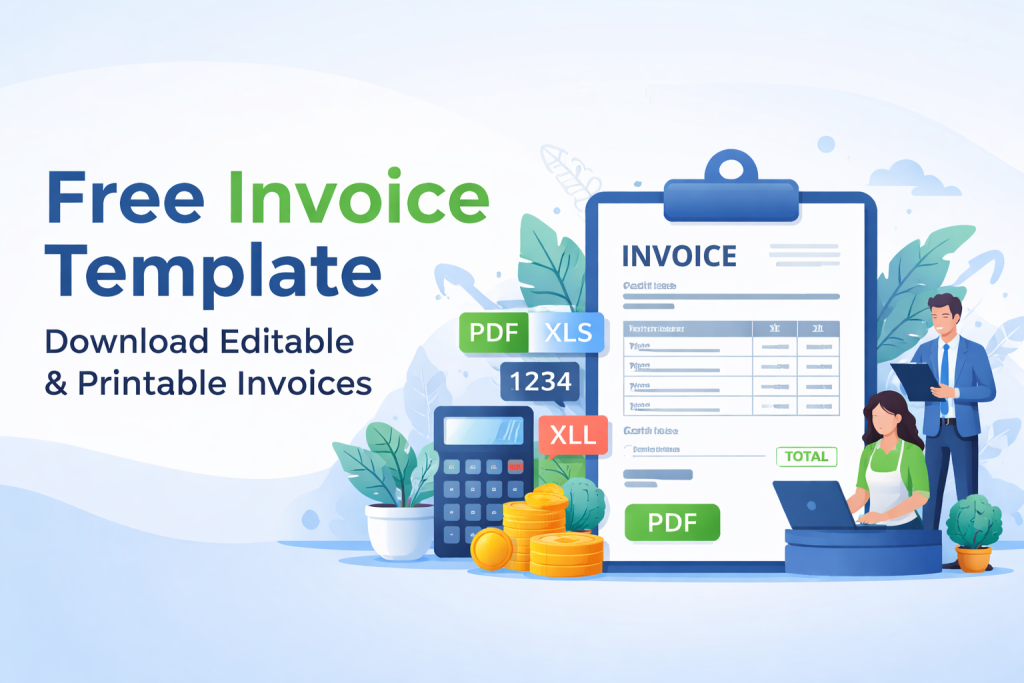
What Is an Invoice Template?
An invoice template is a pre-structured invoice format that includes all essential fields required for billing. Instead of creating invoices from scratch every time, you can use a template to quickly generate accurate invoices.
A professional invoice template usually contains:
Business name and address
Client details
Invoice number
Invoice date and due date
Itemized list of services or products
Subtotal, taxes, and discounts
Total payable amount
Payment method and terms
Notes or additional instructions
Using an invoice template ensures your invoices remain consistent, clear, and legally valid for recordkeeping purposes.
Why You Should Use a Free Invoice Template
Many businesses struggle with invoicing because they either delay invoice creation or use unstructured formats. A properly designed invoice template solves this problem.
1. Saves Time and Effort
With a free invoice template, you only need to fill in the required fields. This reduces manual work and helps you create invoices within minutes.
2. Improves Professionalism
Clients take your business more seriously when invoices are formatted correctly. A clean and professional invoice template builds trust and strengthens your brand identity.
3. Helps You Get Paid Faster
A well-structured invoice makes payment instructions clear. When clients can easily understand the amount due, payment methods, and due dates, they are more likely to pay on time.
4. Reduces Errors
Templates include standard fields, which reduces the chance of missing critical billing details. Excel and Google Sheets invoice templates also help with automated calculations.
5. Easy Record Management
When you use consistent invoice formats, it becomes easier to track invoices, manage pending payments, and maintain accounting records.
Types of Free Invoice Templates Available
Different businesses require different invoice formats. Choosing the right template depends on your services, payment structure, and documentation needs.
Printable Invoice Template (PDF)
A printable invoice template in PDF format is ideal for businesses that need a professional invoice that cannot be edited easily after sending. PDF invoices are commonly used because they preserve formatting and appear consistent across all devices.
PDF invoice templates are recommended when:
You want secure invoices
You need invoices for printing
You want to avoid formatting changes
Editable Invoice Template (Word Format)
An editable invoice template in Word format allows you to customize fonts, layouts, and branding easily. Word templates are great for businesses that want full control over the invoice appearance.
Word invoice templates are best for:
Freelancers and consultants
Service providers
Businesses with custom invoice requirements
Invoice Template Free Download (Excel and Google Sheets)
Excel and Google Sheets templates are extremely useful for businesses that require automatic calculations. These templates can calculate totals, taxes, discounts, and balances automatically.
Spreadsheet templates are recommended for:
Businesses managing multiple invoices
Agencies billing hourly or by project
Companies requiring tax calculations
Professional Invoice Template (Industry Specific)
Some businesses need specialized invoice templates based on their industry. For example:
Freelance invoice template
SEO invoice template
Web development invoice template
Contractor invoice template
Consulting invoice template
Industry-specific invoice templates include fields tailored to your work, making invoices clearer for your clients.
How to Use a Free Invoice Template Step-by-Step
Using an invoice template is simple, even if you have never created an invoice before. Follow these steps:
Step 1: Choose the Right Invoice Format
Select a template format based on your business needs. If you want editable design control, choose Word. If you want calculations, choose Excel. If you want secure sharing, choose PDF.
Step 2: Add Your Business Details
Enter your business name, logo, address, phone number, and email. If you are registered for taxes, include your tax identification number.
Step 3: Fill in Client Information
Include your client’s name, business name (if applicable), address, and contact email. This ensures correct documentation and prevents confusion.
Step 4: Add Invoice Number and Dates
Every invoice should have a unique invoice number. Also include:
Invoice issue date
Payment due date
This helps in tracking payments and avoiding disputes.
Step 5: Enter Services or Product Details
List the items you are billing for. Include:
Description of service or product
Quantity or hours
Rate per unit/hour
Line total amount
Step 6: Add Taxes and Discounts (If Required)
If your business charges tax, include the tax rate and calculated amount. Add discounts if applicable.
Step 7: Mention Payment Terms
Clearly state payment terms such as:
Due date
Late fee policy
Accepted payment methods (bank transfer, PayPal, credit card, etc.)
Step 8: Review and Send
Before sending, double-check:
Correct totals
Accurate client information
Proper formatting
Once confirmed, download and send your invoice to the client.
Best Practices for Creating Professional Invoices
To ensure your invoices are professional and reduce payment delays, follow these best practices:
Use Clear and Simple Language
Avoid complicated terms. Use straightforward descriptions so clients understand what they are paying for.
Keep the Layout Clean
A cluttered invoice creates confusion. A professional invoice template should be clean, structured, and easy to read.
Always Add Payment Instructions
Many businesses forget to include payment details. Make sure your invoice includes bank account information or payment links.
Send Invoices Promptly
Send invoices immediately after completing work. Delays in invoicing often lead to delayed payments.
Keep Digital Copies
Always save invoices for tax reporting and accounting. Maintaining organized invoice records helps you manage business finances efficiently.
Invoice Format for Small Business Owners
If you run a small business, having a reliable invoice format is essential. A standard invoice format for small business should include all required legal and financial details while remaining simple and professional.
A small business invoice template should also allow flexibility for:
Recurring billing
Bulk product invoicing
Service-based invoicing
Multiple payment terms
By using a structured invoice format, small businesses can reduce billing disputes and improve payment tracking.
Frequently Asked Questions (FAQ)
What is the best free invoice template format?
The best format depends on your needs. PDF is best for printing and secure sharing. Word is best for editing design. Excel and Google Sheets are best for automated calculations.
Can I customize a free invoice template?
Yes. Most invoice templates are editable. Word, Excel, and Google Sheets templates can be customized easily with your logo, colors, and business details.
Is it legal to use a free invoice template?
Yes. A free invoice template is legally valid as long as it includes accurate business and client details, invoice number, date, and payment terms.
What should I avoid in an invoice?
Avoid missing invoice numbers, unclear payment terms, incorrect totals, and incomplete client information. These mistakes often cause payment delays.
Conclusion
Using a free invoice template is one of the simplest ways to improve your billing process and maintain professionalism. Whether you need an invoice template free download, a printable invoice template, or an editable invoice template, the right invoice format ensures your clients receive clear and accurate payment requests.
A structured and professional invoice template helps you save time, reduce errors, and get paid faster. For freelancers, agencies, and small businesses, using an invoice template is not only convenient but also an essential part of smooth business operations.
If you want to simplify invoicing, choose a professional invoice format and start sending invoices with confidence.
Get Started and Create Forms for Free?
 (1 votes, average: 5.00 out of 5)
 Loading...