Email Marketing Forms: How to Build Your List and Turn Visitors Into Subscribers
Have you ever had website visitors who seemed interested—but left without taking action? That’s one of the biggest challenges online. The solution is often simple: email marketing forms. A well-designed form gives visitors an easy way to subscribe, request information, or claim an offer. And once they join your list, you can keep the conversation going.
For business owners, product managers, educators, course creators, event planners, and HR teams, email marketing forms are more than signup boxes. They help collect leads, build audiences, and create lasting relationships. This guide will show you how to create high-converting email marketing forms, where to place them, what to include, and how to improve performance over time.
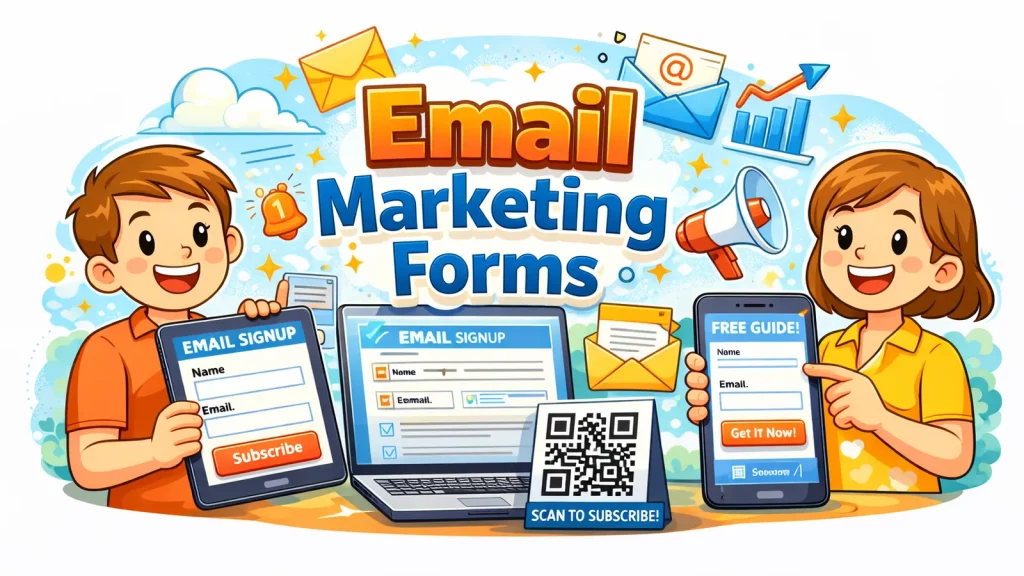
What Are Email Marketing Forms?
Email marketing forms are online forms designed to collect email addresses and subscriber details. They help you build an audience that you can reach directly—without relying only on social media algorithms or paid ads.
These forms can appear as:
Embedded signup forms on a website
Pop-up forms
Slide-in forms
Landing page forms
Event registration forms that include email opt-ins
A good form is simple, clear, and aligned with what the visitor wants. When done right, email marketing forms can turn casual visitors into long-term customers or engaged members.
Why Email Marketing Forms Still Work So Well
Many marketing tactics change quickly, but email remains one of the most reliable channels. Why? Because email helps you reach people directly in their inbox, on your terms.
Here’s what email marketing forms help you achieve:
1. Build a Direct Audience
When someone joins your list, you’re not competing for attention the way you are on social media.
2. Increase Conversions Over Time
Most visitors won’t buy or register on the first visit. Email allows gentle follow-ups that build trust.
3. Collect Leads and Data
Email marketing forms can capture:
Name
Email address
Interests
Location
Preferences
This data helps you segment and personalize campaigns.
4. Support Automation
A form can trigger:
Welcome emails
Lead magnet delivery
Event reminders
Course onboarding sequences
This makes email marketing scalable across global audiences.
Who Benefits Most From Email Marketing Forms?
Email marketing forms are useful for almost every professional group, especially your target audience.
Business Owners
Capture leads for products and services
Collect inquiries for high-ticket sales
Build a newsletter list
Product Managers
Gather beta users and early adopters
Collect feedback from subscribers
Notify users about feature updates
Educators & Course Creators
Collect emails for course signups
Offer free lessons as lead magnets
Send reminders and learning sequences
Event Planners
Promote events and collect registrations
Send schedule updates and reminders
Reduce no-shows with automated email flows
HR Professionals
Build internal communication lists
Collect candidate or referral information
Share hiring updates and onboarding resources
In every case, email marketing forms act as the entry point into a more valuable relationship.
Types of Email Marketing Forms That Convert
Different forms work better for different goals. Here are the most popular and effective types.
1. Email Signup Form (Classic)
This is the standard embedded form found on websites. It works best when:
Placed above the fold
Kept simple
Paired with a clear value statement
2. Newsletter Subscription Form
A newsletter subscription form works well for brands that publish:
Tips and guides
Product updates
Weekly summaries
Company news
It builds long-term engagement.
3. Lead Capture Form With a Lead Magnet
A lead capture form offers a free resource in exchange for an email. Examples:
Free checklist
Ebook or guide
Discount code
Webinar access
Free template
This is one of the fastest ways to grow your email list.
4. Event-Based Opt-In Forms
Event forms collect emails for:
Webinars
Workshops
Product demos
Live classes
Corporate meetups
They often convert well because the visitor already has intent.
5. Multi-Step Forms
Multi-step forms feel easier because they break one long form into small steps. They’re great for:
High-intent lead generation
Qualification questions
B2B signup flows
Most organizations use a mix of these to match different user journeys.
What to Include in Email Marketing Forms (And What to Avoid)
The best forms balance simplicity and useful data. If you ask too much, people stop filling them out.
Must-Have Fields
Email address
Consent checkbox (if needed)
Helpful Optional Fields (Use Carefully)
First name (for personalization)
Role or interest (for segmentation)
Company (for B2B)
What to Avoid
Too many required fields
Confusing labels
Long paragraphs of text
Multiple calls-to-action in one form
A strong email signup form should take less than 20 seconds to complete.
Best Places to Add Email Marketing Forms
Placement matters as much as design. You want forms where people are most likely to say “yes.”
High-Converting Placement Ideas
Homepage hero section
Blog sidebar or end-of-post section
Pricing page
Contact page
Resource pages
Course or event landing pages
Pop-Ups: When to Use Them
Pop-ups can work well if they are:
Triggered after time on site
Triggered on exit intent
Easy to close
Relevant to the page content
The key is to make them helpful, not annoying.
How to Create High-Converting Email Marketing Forms
Let’s walk through practical steps to improve conversion rates.
1. Use a Clear Value Message
Don’t just say “Subscribe.” Explain what they get. Example:
“Get weekly growth tips in your inbox.”
“Download the free checklist instantly.”
“Get event updates and reminders.”
Clear value increases trust.
2. Add a Strong CTA Button
Avoid generic buttons like “Submit.” Use action-driven CTAs:
“Get the Free Guide”
“Join the Newsletter”
“Send Me Updates”
“Reserve My Spot”
3. Keep Design Simple
Use:
Easy-to-read fonts
Enough spacing
High contrast between button and background
Mobile-friendly layout
4. Reduce Friction
Small changes boost results, such as:
Removing unnecessary fields
Using short labels
Making the form feel quick
5. Build Trust
Trust signals can increase conversions:
“No spam. Unsubscribe anytime.”
Privacy reassurance
Small social proof message (e.g., “Join 10,000 readers”)
Even small trust cues help visitors feel safe.
How Email Marketing Forms Support Automation
Email marketing forms become powerful when paired with automation. Once a subscriber joins, you can deliver the right messages at the right time.
Common Automated Flows
Welcome series
Lead magnet delivery email
Product onboarding sequence
Event reminder emails
Course drip content emails
Automation saves time and makes your marketing consistent. It also improves engagement because messages arrive when they’re relevant.
Measuring and Improving Form Performance
To grow faster, you need to track what works. Email marketing forms provide measurable results.
Key Metrics to Track
Form conversion rate
Traffic source
Drop-off rate
Subscriber quality (open rates, clicks)
Lead magnet performance
Simple Ways to Improve Results
A/B test headline and CTA text
Try different form placements
Test pop-up timing
Offer a better lead magnet
Reduce required fields
Email list building is easier when you treat forms like a conversion tool—not just a website element.
Common Mistakes to Avoid
Here are frequent issues that reduce signups:
Asking for too many details upfront
Using unclear CTAs
Placing forms where nobody sees them
Forgetting mobile optimization
Not confirming signups
Not following up with a welcome email
Fixing these small issues can make a big difference in performance.
Practical Examples of Email Marketing Forms for Each Audience
Here are examples tailored to your target users.
Business Owners
“Get exclusive offers and new arrivals”
“Request a quote and receive updates”
Product Managers
“Join the beta waitlist”
“Subscribe for feature updates”
Educators & Course Creators
“Download the free lesson”
“Get course updates and bonus resources”
Event Planners
“Reserve your seat”
“Receive schedule updates and event details”
HR Professionals
“Subscribe to job alerts”
“Get onboarding updates and training resources”
These form styles match intent, which increases conversions.
FAQ: Email Marketing Forms
1. What are email marketing forms?
Email marketing forms are online forms that collect subscriber email addresses so you can send newsletters, offers, updates, and automated email sequences.
2. Where should I place an email signup form?
High-performing placements include the homepage, blog posts, landing pages, and pop-ups triggered by time or exit intent.
3. What makes a lead capture form convert better?
A strong lead capture form offers clear value, a simple design, minimal fields, and a compelling CTA button.
4. Should I use double opt-in for newsletter subscription forms?
Double opt-in can improve list quality and reduce spam signups. It’s a good option if you want stronger engagement and compliance.
5. How do I grow my email list faster?
Use lead magnets, optimize form placement, A/B test CTAs, and connect your forms to automated welcome and nurture sequences.
Final Thoughts: Turn Visitors Into Subscribers With Email Marketing Forms
If you want a reliable way to build relationships, email remains one of your best channels. And email marketing forms are the starting point. When your forms are simple, valuable, and well-placed, they help you grow a list of engaged subscribers you can reach again and again.
If you’re ready to create high-converting forms, capture leads, and automate your email growth, start today.
Build your email marketing forms now
Register here: https://platform.formbot.com/register/
Turn every visitor into a future customer, learner, or attendee.
Get Started and Create Forms for Free?
 (1 votes, average: 5.00 out of 5)
 Loading...