What is a Delivery Form?
A delivery form is a structured document used to collect, manage, and track delivery-related information. Businesses rely on delivery forms to streamline logistics, gather accurate customer details, and ensure efficient order fulfillment.
Whether you operate an eCommerce store, logistics company, or local delivery service, a well-designed delivery form reduces errors, improves communication, and enhances overall customer experience.
Why Your Business Needs an Online Delivery Form
Manual processes often lead to delays and mistakes. An online delivery form eliminates these challenges by automating information collection and improving workflow efficiency.
Key Benefits:
- Faster order processing
- Reduced human errors
- Real-time data collection
- Better customer experience
- Organized and secure data storage
Using a platform like Formbot allows businesses to build delivery forms that are both functional and optimized for performance.
Types of Delivery Forms You Can Create
Delivery Request Form
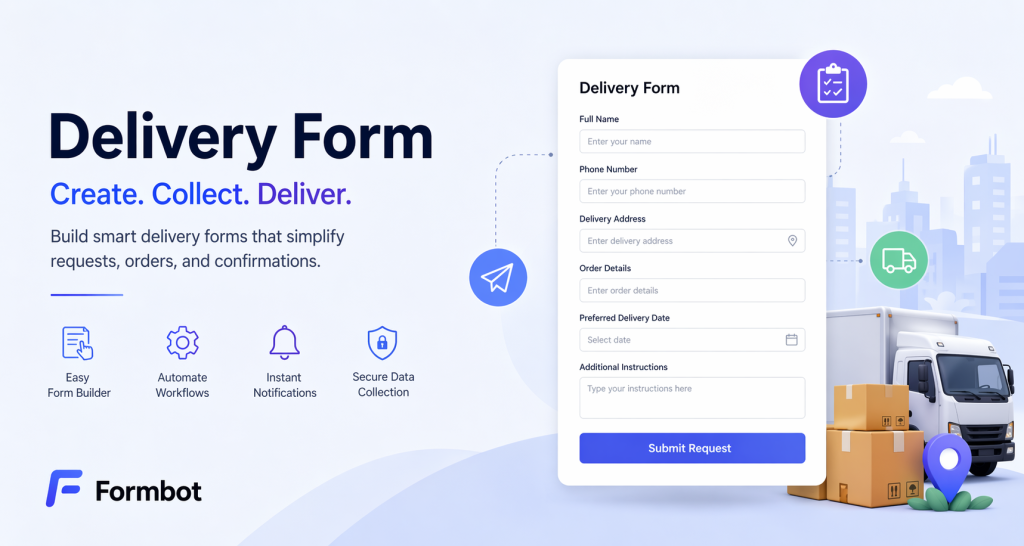
This form allows customers to request a delivery service. It typically includes customer details, delivery address, and preferred delivery time.
Delivery Order Form
Used by businesses to collect order details such as product information, quantity, and payment details.
Delivery Confirmation Form
This form is used by delivery personnel to confirm that an order has been successfully delivered. It may include recipient signatures, timestamps, and delivery status.
Delivery Feedback Form
Helps businesses gather feedback after delivery. It includes rating systems and comment sections to improve service quality.
Key Features of a High-Converting Delivery Form
A delivery form should be designed with both usability and conversion in mind.
Simple and Clean Design
A clean layout improves user experience and increases completion rates.
Mobile Optimization
Most users access forms on mobile devices, so responsiveness is essential.
Customizable Fields
Businesses should be able to modify fields based on their specific needs.
Automation Features
Automatic notifications and confirmations improve efficiency.
Integration Capabilities
Integration with CRM systems, email tools, and payment gateways enhances functionality.
Formbot provides all these features, making it a strong solution for businesses.
How to Create a Delivery Form with Formbot
Creating a delivery form using Formbot is straightforward.
Step 1: Select a Template
Choose a delivery form template to get started quickly.
Step 2: Customize the Form
Add fields such as name, address, contact details, and delivery instructions.
Step 3: Apply Conditional Logic
Show or hide fields based on user responses.
Step 4: Enable Notifications
Set up alerts for new submissions.
Step 5: Publish the Form
Embed it on your website or share via a link.
Why Choose Formbot for Delivery Forms
Formbot is designed to simplify form creation while offering advanced capabilities.
Key Advantages:
- Drag-and-drop builder
- Advanced customization options
- Automation tools
- Secure data management
- Integration with business platforms
Unlike basic tools, Formbot focuses on improving workflow efficiency and scalability.
Best Practices for Optimizing Delivery Forms
Keep the Form Short
Only include necessary fields to avoid drop-offs.
Use Clear Labels
Ensure users understand what information is required.
Add Input Validation
Prevent incorrect or incomplete data submissions.
Use Progress Indicators
Helpful for longer forms to guide users.
Test and Improve
Analyze user behavior and optimize accordingly.
Common Mistakes to Avoid
- Adding too many fields
- Ignoring mobile optimization
- Not using automation features
- Poor design and layout
- No confirmation messages after submission
Avoiding these mistakes improves both usability and SEO performance.
How Delivery Forms Improve Business Efficiency
Delivery forms play a critical role in business operations by:
- Speeding up order processing
- Improving data accuracy
- Enhancing team productivity
- Increasing customer satisfaction
Automation reduces repetitive tasks and allows teams to focus on growth.
Frequently Asked Questions
What is a delivery form used for?
A delivery form collects and manages delivery-related details such as customer information and order specifics.
Can I create a delivery form online?
Yes, platforms like Formbot allow you to create and customize delivery forms easily.
What fields should a delivery form include?
It should include contact details, delivery address, order details, and instructions.
Are online delivery forms secure?
Most modern form builders provide secure data handling and encryption.
Final Thoughts
Ranking for the keyword “delivery form” requires a combination of strong keyword targeting, high-quality content, and user-focused design.
By creating detailed, optimized, and helpful content, you can improve search visibility and attract the right audience.
Formbot enables businesses to create efficient and scalable delivery forms, making it easier to manage operations and improve customer experience.
Get Started and Create Forms for Free?
 (1 votes, average: 5.00 out of 5)
 Loading...