Create Questionnaire Form: A Complete Guide for Smarter Data Collection
Have you ever struggled to collect meaningful feedback, opinions, or information from your audience? Whether responses are incomplete, unclear, or too few, poor data collection can slow down decisions. That’s why learning how to create questionnaire form effectively has become essential for modern organizations. From businesses to educators, a well-designed questionnaire form helps gather accurate insights quickly and efficiently.
When done right, a questionnaire form doesn’t just collect answers—it drives clarity, engagement, and action.
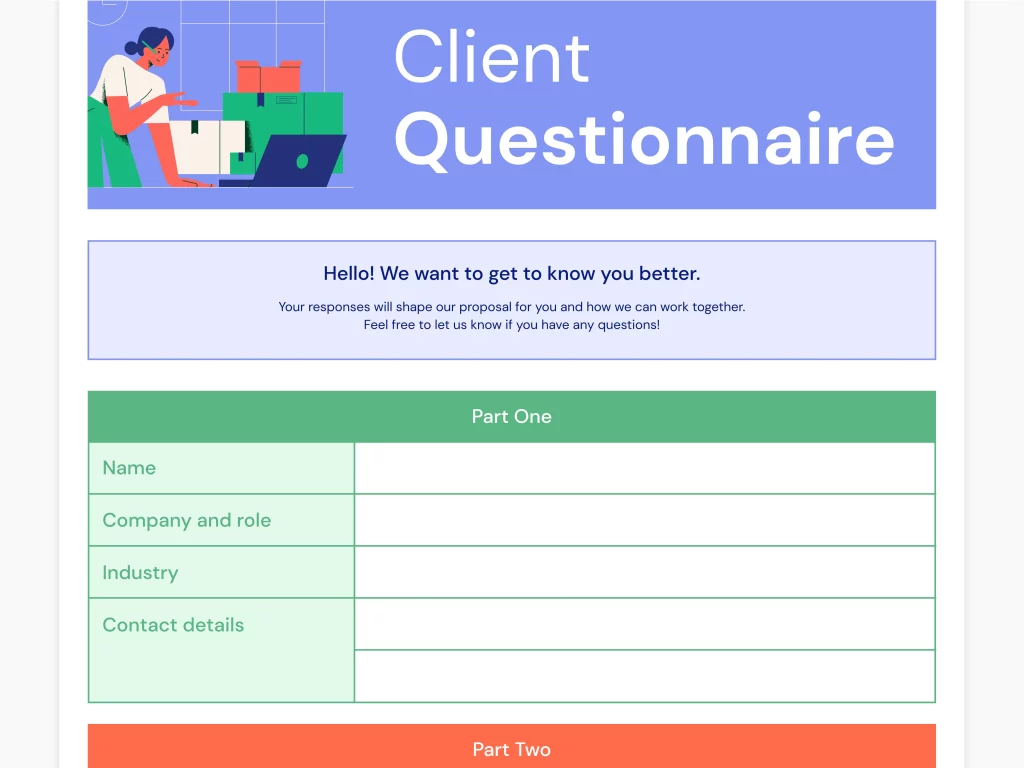
What Does It Mean to Create a Questionnaire Form?
To create questionnaire form means designing a structured set of questions that gathers specific information from respondents. These forms can be digital or printable, short or detailed, simple or advanced.
Today, most professionals prefer to create questionnaire form online because it’s faster, scalable, and easier to manage. Online forms allow you to automate responses, analyze data instantly, and reach a global audience.
Common uses of questionnaire forms
Customer feedback collection
Employee surveys
Event registrations
Training evaluations
Market research
No matter the purpose, a thoughtfully created questionnaire form ensures you collect reliable data without overwhelming respondents.
Why Creating a Questionnaire Form Matters Across Industries
A questionnaire form is more than a list of questions. It’s a strategic communication tool.
Business Owners
Business owners use questionnaire forms to understand customers, validate ideas, and improve products. When you create questionnaire form with clarity, you reduce guesswork and make informed decisions.
Product Managers
Product managers rely on surveys and feedback forms to prioritize features and measure satisfaction. A structured questionnaire form helps capture insights at scale.
Educators & Course Creators
Educators create questionnaire forms to evaluate learning outcomes, gather student feedback, and improve course content.
Event Planners
From attendee preferences to post-event feedback, event planners use online questionnaire forms to optimize experiences.
HR Professionals
HR teams create questionnaire forms for recruitment, employee engagement surveys, and performance reviews.
Key Benefits of Creating Questionnaire Forms Online
Choosing to create questionnaire form online offers clear advantages over manual methods.
1. Faster Data Collection
Online forms allow instant sharing and real-time responses, eliminating delays.
2. Improved Accuracy
Automated validation reduces errors and incomplete submissions.
3. Better Engagement
Interactive layouts and clear question flows encourage higher completion rates.
4. Easy Analysis
Most form builder tools offer built-in analytics, making insights easier to extract.
5. Global Accessibility
Anyone can respond from anywhere, making online questionnaire forms ideal for global audiences.
Essential Elements of an Effective Questionnaire Form
When you create questionnaire form, structure matters as much as content.
Clear Objective
Start with a clear goal. Know exactly what information you want before writing questions.
Simple Language
Use plain, direct wording. Avoid jargon to maintain an 8th-grade readability level.
Logical Flow
Group related questions together. Move from general to specific for a smoother experience.
Balanced Question Types
Use a mix of:
Multiple-choice questions
Rating scales
Short answers
Yes/No questions
This balance keeps respondents engaged while improving data quality.
How to Create Questionnaire Form Step by Step
Creating an effective questionnaire form doesn’t need to be complicated.
Step 1: Define Your Purpose
Ask yourself what decisions the data will support. This guides question selection.
Step 2: Choose the Right Tool
Select a reliable questionnaire form builder that allows customization and analytics.
Step 3: Write Clear Questions
Each question should focus on one idea. Avoid leading or biased wording.
Step 4: Optimize for Length
Shorter forms perform better. Remove unnecessary questions.
Step 5: Test Before Launch
Review your form for clarity, flow, and usability before sharing it widely.
When you consistently follow these steps, you create questionnaire form designs that convert.
Best Practices to Improve Response Rates
Even well-designed forms can fail if engagement is low. These tips help maximize participation.
Keep forms concise
Use progress indicators
Ask essential questions first
Make forms mobile-friendly
Thank respondents at the end
Small changes can significantly improve completion rates when you create questionnaire form thoughtfully.
Common Mistakes to Avoid When Creating Questionnaire Forms
Avoiding common pitfalls is just as important as good design.
Overloading Questions
Too many questions lead to fatigue and drop-offs.
Using Complex Language
Complicated wording reduces understanding and accuracy.
Ignoring Mobile Users
Many respondents complete forms on phones. Poor mobile design hurts results.
Lack of Context
Brief introductions help respondents understand why their input matters.
Fixing these issues ensures your questionnaire form delivers meaningful data.
Choosing the Right Questionnaire Form Builder
Not all tools are created equal. The right platform helps you create questionnaire form faster and smarter.
Look for features like:
Drag-and-drop form creation
Custom branding options
Data export and reporting
Conditional logic
Secure data handling
A powerful form builder saves time while improving data quality.
How Questionnaire Forms Support Better Decision-Making
Data-driven decisions start with good questions. When you create questionnaire form strategically, you gain insights that guide planning, marketing, hiring, and product development.
Clear responses highlight patterns, reveal gaps, and reduce assumptions. Over time, consistent questionnaire use builds a strong foundation for growth and improvement.
Frequently Asked Questions (FAQs)
1. What is the best way to create questionnaire form online?
The best way is to use a reliable online form builder that offers customization, analytics, and ease of use.
2. How long should a questionnaire form be?
Ideally, a questionnaire form should take less than five minutes to complete to maintain engagement.
3. Can I use questionnaire forms for internal teams?
Yes. HR professionals and managers often create questionnaire forms for employee feedback and evaluations.
4. Are online questionnaire forms secure?
Most reputable platforms use encryption and security measures to protect collected data.
5. How often should I update my questionnaire form?
Update forms regularly to ensure questions remain relevant and aligned with your goals.
Final Thoughts: Start Creating Smarter Questionnaire Forms Today
Learning how to create questionnaire form effectively empowers you to collect accurate data, improve engagement, and make confident decisions. Whether you’re a business owner, educator, HR professional, or event planner, the right questionnaire form turns feedback into actionable insight.
👉 Ready to create powerful questionnaire forms with ease?
Get started today by signing up here:
https://platform.formbot.com/register/
Get Started and Create Forms for Free?
 (1 votes, average: 5.00 out of 5)
 Loading...