The Complete Guide to Choosing the Best Signature Generator in 2026
Have you ever needed to sign a document urgently but didn’t have access to a printer or scanner? You’re not alone. As more processes shift online, a signature generator has become an essential tool for businesses, educators, HR teams, event planners, and professionals worldwide. A digital signature generator allows you to create secure signatures instantly—saving time, reducing paperwork, and boosting productivity.
In today’s digital-first environment, having a reliable signature generator is not only convenient—it’s transformative. In this guide, we’ll break down how signature generators work, why they matter, the top features to look for, and how teams across industries can use them to streamline workflows in 2026 and beyond.
What Is a Signature Generator?
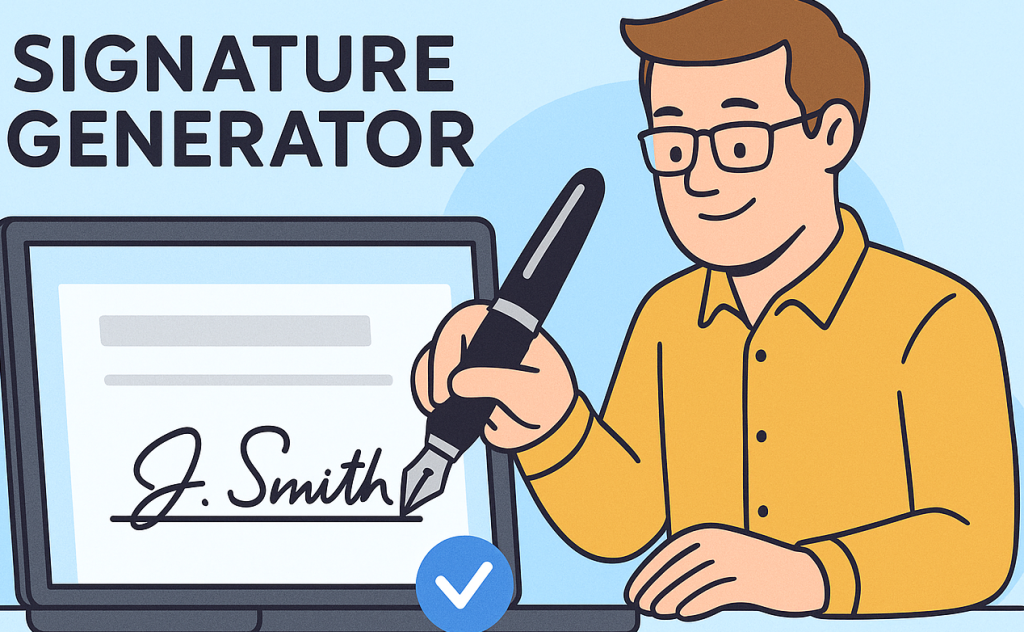
A signature generator is an online tool that allows users to create digital signatures for use on documents, emails, forms, and approvals. Instead of physically signing papers, individuals and businesses can generate legally valid digital signatures in seconds.
A modern signature generator often includes:
handwritten-style signature creation
typed signature styles
secure encryption
document signing features
cloud storage
workflow automation
These tools help organizations reduce delays and protect sensitive information.
Why Use a Signature Generator?
Digital signatures are becoming the global standard. Below are key reasons why organizations rely on signature generators.
1. Faster and More Efficient Workflows
No more printing, scanning, or emailing documents back and forth. A signature generator lets you sign or request signatures instantly.
2. Legally Valid and Secure
Many signature tools comply with regulations like:
ESIGN Act
eIDAS
UETA
This ensures that digital signatures are legally binding.
3. Improved Document Accuracy
Digital signatures reduce errors caused by:
unclear handwriting
missing fields
misplacement of signatures
4. Enhanced Branding and Professionalism
With a signature generator, your signature appears consistent across:
email signatures
proposals
contracts
invoices
This strengthens your professional presence.
5. Better Collaboration Across Teams
HR, sales, education, and event teams can collect signatures remotely—making global collaboration smoother.
Who Needs a Signature Generator?
A signature generator is useful across industries. Here’s how different professionals benefit:
1. Business Owners
Business owners use signature generators for:
client contracts
vendor agreements
proposals
NDAs
Digital signatures speed up revenue-generating activities.
2. Product Managers
Product managers use electronic signing tools for:
roadmap approvals
partner agreements
beta program documentation
This keeps teams aligned and decisions documented.
3. Educators & Course Creators
Educators rely on signature generators for:
enrollment forms
training contracts
parental consent forms
copyright agreements
Digital workflows make education more accessible.
4. Event Planners
Event professionals manage:
venue contracts
sponsor agreements
performer releases
vendor onboarding
Signatures collected digitally reduce delays.
5. HR Professionals
HR teams depend on signature tools for:
employee onboarding
policy acknowledgments
performance reviews
benefit enrollments
This improves compliance and efficiency.
Top Features to Look For in a Signature Generator
A high-quality signature generator should include the following features:
1. Multiple Signature Creation Options
Look for tools that allow:
drawing with a mouse or stylus
typing with various fonts
importing handwritten signatures
2. Security and Encryption
Ensure the signature generator uses strong encryption to keep documents safe.
3. Compatibility With Many File Types
Such as:
PDF
Word
JPG
PNG
4. Workflow Automation
Features like:
automated reminders
signature tracking
multi-step approval routing
5. Drag-and-Drop Document Editor
You should be able to place signature fields easily.
6. Branding Customization
This includes:
company logo
colors
personalized signature styles
7. Mobile Optimization
People increasingly sign documents on mobile devices.
8. Integration With Popular Tools
Such as:
CRMs
cloud drives
contract management systems
HR platforms
Types of Signatures a Signature Generator Can Create
Understanding the signature types helps you choose the right option for your workflow.
1. Drawn Signatures
Best for:
authenticity
a handwritten look
2. Typed Signatures
Simple, clean, and quick to generate.
3. Uploaded Signatures
Users upload a scanned version of their real signature.
4. Digital Certificates (Advanced)
These signatures include cryptographic protection.
How a Signature Generator Improves Global Workflows
Digital signatures offer widespread benefits for global organizations.
1. Remote Collaboration
Teams across continents can sign documents within minutes.
2. Reduced Costs
No printing, shipping, or storage expenses.
3. Improved Compliance
Built-in audit trails track:
who signed
when they signed
the device used
4. Environmental Impact
Digital signatures help reduce paper waste.
Real-World Use Cases of Signature Generators
Here’s how organizations are using signature generators daily:
Sales Teams
contract approvals
quotes and proposals
onboarding new clients
Event Management
sponsor contracts
vendor agreements
talent releases
Education
permission slips
digital assignments
publishing rights
HR
offer letters
policy updates
appraisal documents
How to Create a Digital Signature Using a Signature Generator
Below is a step-by-step process:
Step 1: Choose a Reliable Tool
Ensure the software is secure and user-friendly.
Step 2: Select a Signature Style
Options include:
drawing
typing
uploading
Step 3: Customize the Appearance
Adjust:
color
thickness
slant
Step 4: Save Your Signature
You can store signatures to use across:
forms
documents
emails
Step 5: Apply It to Any Document
Upload the file and place your signature where needed.
Best Practices for Using a Signature Generator in 2026
To stay compliant, efficient, and modern, follow these practices:
✔ Use encryption-enabled signature tools
✔ Create consistent signature styles
✔ Store documents in secure cloud storage
✔ Add timestamps and verification fields
✔ Use automated workflows for recurring approvals
✔ Test the signature on mobile devices
Common Mistakes to Avoid
Even the best tools fail when misused. Avoid:
1. Using Low-Quality Signature Images
This appears unprofessional.
2. Skipping Identity Verification
Ensure signers are authenticated.
3. Ignoring Compliance Standards
Check e-signature laws in the signer’s region.
4. Not Backing Up Documents
Always keep cloud or offline backups.
5. Overusing Signature Fields
Only require signatures when necessary.
FAQ: Signature Generator
1. Are digital signatures created by a signature generator legally valid?
Yes. Most signature generators meet global compliance standards when properly implemented.
2. Can I create multiple signatures?
Absolutely. Many tools allow users to save multiple signature styles.
3. Is a signature generator secure?
Reputable tools use encryption and authentication to protect your documents.
4. Do I need special software to open digitally signed files?
No. Most files, especially PDFs, support digital signatures by default.
5. Who can use a signature generator?
Anyone—business teams, educators, HR professionals, freelancers, and event organizers.
Conclusion
A signature generator is one of the most powerful, time-saving tools available for modern professionals. It streamlines workflows, enhances security, and allows organizations to operate with greater flexibility in 2026 and the years ahead. Whether you’re signing contracts, onboarding employees, approving proposals, or managing events, a signature generator ensures every process runs smoothly.
Ready to simplify how you sign and send documents?
👉 Create digital forms and signatures effortlessly today:
https://platform.formbot.com/register/
Get Started and Create Forms for Free?
 (1 votes, average: 5.00 out of 5)
 Loading...