Lead Generation Form: Examples, Templates & Best Practices to Capture More Leads
A lead generation form is one of the most powerful tools in digital marketing for turning website visitors into potential customers. Whether you run a SaaS business, an ecommerce store, a real estate agency, or a consulting firm, your success depends heavily on your ability to capture leads and follow up with them at the right time.
Many businesses spend thousands of dollars driving traffic through SEO, Google Ads, social media, and email campaigns—but still struggle to convert visitors. The reason is simple: traffic without conversion is wasted opportunity. A well-optimized lead generation form can dramatically increase conversions by making it easier for users to take action and share their details.
In this guide, you’ll learn what a lead generation form is, why it matters, what types exist, and how to create a high-converting form using proven best practices. You’ll also find ready-to-use templates, examples, and common mistakes to avoid.
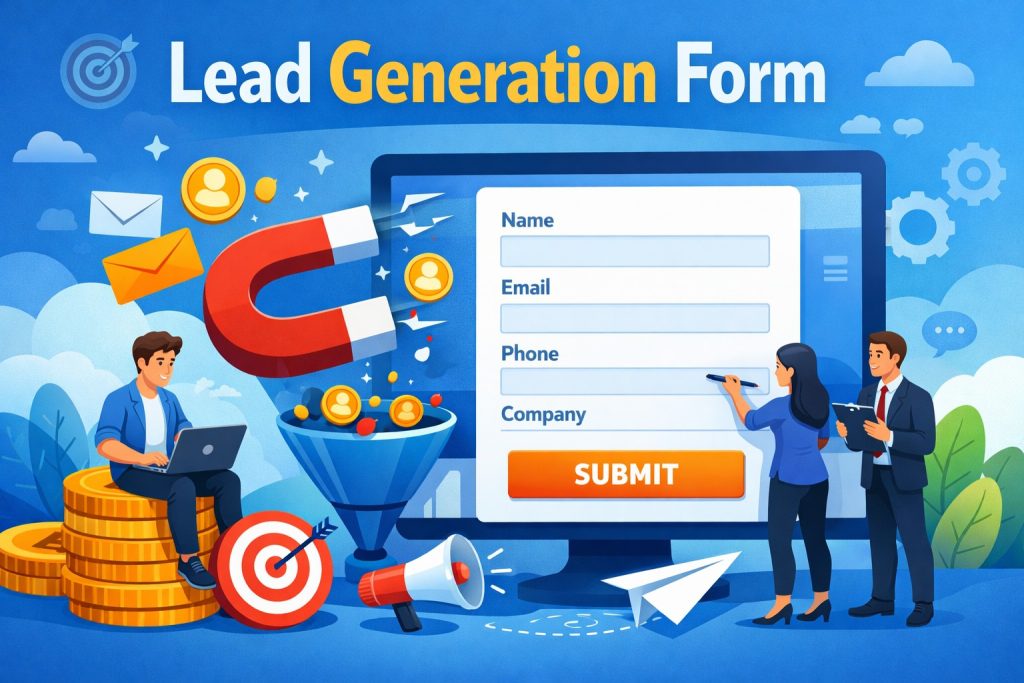
What is a Lead Generation Form?
A lead generation form is an online form designed to collect information from website visitors in exchange for something valuable. This could be a free consultation, a demo request, a price quote, a newsletter subscription, a downloadable guide, or a product discount.
The primary goal of a lead generation form is to capture user information such as:
Name
Email address
Phone number
Company name
Job title
Industry
Budget
Specific needs or requirements
Once this data is collected, businesses can use it to follow up via email, phone calls, retargeting ads, or automated sales funnels.
A lead generation form is sometimes also called a lead capture form or lead form, and all these terms are commonly used in digital marketing.
Why Lead Generation Forms Are Important
Lead generation forms are essential because they create a direct connection between a visitor and your business. Without a form, a visitor may browse your website and leave without taking any action.
Here are the biggest reasons lead generation forms matter:
1. Convert Website Traffic Into Real Opportunities
SEO and paid ads can bring visitors, but only lead forms can convert them into contacts you can nurture.
2. Build a Long-Term Customer Pipeline
Even if a visitor isn’t ready to buy today, collecting their email allows you to build trust and convert them later.
3. Improve Marketing ROI
When you capture leads, you can remarket to them at a much lower cost than acquiring brand-new traffic again.
4. Qualify Leads Automatically
A well-designed form can filter serious prospects by collecting important information like budget, timeline, or service requirements.
5. Increase Sales Conversions
Companies that respond quickly to captured leads often see significantly higher conversion rates than those who rely only on passive marketing.
Types of Lead Generation Forms (With Examples)
Different industries and marketing goals require different types of lead generation forms. Here are the most common ones:
1. Contact Form
A contact form is one of the simplest lead forms and is commonly found on “Contact Us” pages.
Best for:
Small businesses
Service providers
Freelancers
Common fields:
Name
Email
Message
Example use case:
A visitor wants to ask about your services and submits a quick inquiry.
2. Demo Request Form
Demo request forms are popular in SaaS and B2B businesses. They help generate qualified sales leads.
Best for:
SaaS companies
B2B software providers
Enterprise services
Common fields:
Work email
Company name
Role
Team size
Requirements
Example use case:
A prospect wants to see how your product works before committing.
3. Quote Request Form
Quote forms are designed for customers who want pricing information tailored to their needs.
Best for:
Construction companies
Agencies
IT services
Home services
Common fields:
Contact details
Service selection
Project description
Timeline
Example use case:
A customer wants a price estimate for a custom service.
4. Newsletter Signup Form
Newsletter forms are a low-friction way to collect leads for long-term nurturing.
Best for:
Blogs
Ecommerce stores
Media sites
Coaches and consultants
Common fields:
Email
Name (optional)
Example use case:
A user subscribes to weekly marketing tips or updates.
5. Lead Magnet Download Form
This form is used to offer downloadable content like ebooks, templates, checklists, or guides.
Best for:
Digital marketers
Coaches
B2B brands
Agencies
Common fields:
Email
Name
Company (optional)
Example use case:
A visitor downloads a free PDF guide in exchange for their email.
6. Webinar or Event Registration Form
Webinars and online events are great lead generation tools, and registration forms make it easy to capture attendee details.
Best for:
Marketing teams
Online educators
SaaS companies
Common fields:
Name
Email
Company
Event preferences
Example use case:
A user registers for an upcoming training session or product webinar.
7. Ecommerce Discount Popup Form
These forms usually appear as popups offering a discount code to collect email addresses.
Best for:
Ecommerce brands
DTC businesses
Common fields:
Email only
Example use case:
A visitor receives 10% off their first purchase after signing up.
Lead Generation Form Best Practices (High-Converting Checklist)
If you want your lead capture form to perform well, you must optimize it for both user experience and conversion.
Below are proven best practices used by top-performing businesses.
1. Keep Your Form Short and Simple
One of the biggest conversion killers is asking too many questions.
A good rule:
Email opt-in forms: 1–2 fields
Demo/quote forms: 4–7 fields
Enterprise qualification forms: 8–12 fields (only if value is high)
The fewer fields you use, the higher your conversion rate will usually be.
2. Ask Only for What You Truly Need
Every field should have a purpose.
If you don’t need the phone number immediately, remove it. If you don’t need job title, skip it. Only collect data that helps you qualify or contact the lead.
3. Use Clear Labels and Instructions
Visitors should instantly understand what each field means.
Avoid confusing labels like:
“Business Info”
“Enter details”
Instead use clear labels:
“Company Name”
“Work Email”
“Phone Number”
4. Write a Strong Headline Above the Form
A headline can significantly increase form submissions because it explains the value of the offer.
Good headline examples:
“Get a Free Consultation”
“Download the Free Lead Generation Checklist”
“Request Pricing in Under 60 Seconds”
“Book a Demo With Our Team”
The best headline focuses on the benefit, not the form itself.
5. Use a High-Impact CTA Button
Avoid generic CTAs like “Submit.”
Instead use action-based CTAs like:
“Get My Free Guide”
“Request a Quote”
“Book a Demo”
“Send Me Pricing”
“Start Free Trial”
A CTA should tell the user what happens next.
6. Add Trust Signals Near the Form
Many users hesitate to submit forms because they worry about spam or privacy issues.
Add trust signals like:
“We never share your information.”
“No spam. Unsubscribe anytime.”
Secure icon or privacy policy link
Testimonials or client logos
Trust signals reduce hesitation and improve conversions.
7. Use Multi-Step Forms for Long Forms
If your form has more than 6–7 fields, consider breaking it into multiple steps.
Multi-step forms work because:
They feel easier to complete
Users are less overwhelmed
Progress indicators motivate completion
For example:
Step 1: Name + email
Step 2: Company + requirements
Step 3: Budget + timeline
8. Optimize Your Form for Mobile Users
A large percentage of visitors come from smartphones.
To make your lead generation form mobile-friendly:
Use large input fields
Avoid too many dropdowns
Use short field labels
Keep spacing clean
Avoid long paragraphs near the form
A form that works on desktop but feels difficult on mobile will lose conversions.
9. Use Conditional Logic (If Possible)
Conditional logic means the form changes based on user answers.
Example:
If a user selects “Website Design,” show design-related questions.
If they select “SEO Services,” show SEO-related questions.
This makes forms shorter and more relevant, improving both conversion and lead quality.
10. Provide an Immediate Confirmation Message
After submission, users should not feel lost.
A good confirmation message includes:
A thank-you note
What happens next
When they can expect a response
Example: “Thank you! We’ve received your request. Our team will contact you within 24 hours.”
Lead Generation Form Templates (Ready-to-Use)
Below are practical templates you can copy and customize based on your business needs.
Template 1: Simple Lead Capture Form
Best for: newsletters, offers, lead magnets
Fields:
First name (optional)
Email (required)
Headline: Get free marketing tips every week
CTA: Subscribe Now
Template 2: Consultation Booking Form
Best for: agencies, coaches, consultants
Fields:
Name
Email
Phone (optional)
Service interested in (dropdown)
Message
Headline: Book a Free Consultation
CTA: Schedule My Call
Template 3: Quote Request Form
Best for: service providers, freelancers
Fields:
Name
Email
Project type
Budget range
Timeline
Requirements
Headline: Request a Free Quote
CTA: Get My Quote
Template 4: SaaS Demo Request Form
Best for: SaaS and B2B products
Fields:
Work email
Company name
Job title
Team size
What are you trying to solve?
Headline: Request a Live Demo
CTA: Book My Demo
Template 5: Ecommerce Discount Signup Form
Best for: ecommerce brands
Fields:
Email only
Headline: Get 10% Off Your First Order
CTA: Get My Discount
Common Mistakes That Reduce Lead Form Conversion Rates
Even small mistakes can destroy your form performance. Here are the biggest ones to avoid:
1. Too Many Required Fields
Users don’t want to fill out long forms unless the offer is extremely valuable.
2. Weak Offer
If the offer is not attractive, the form won’t convert no matter how good the design is.
3. No Follow-Up System
Capturing leads is useless if your team doesn’t respond quickly.
4. Poor Form Placement
Forms placed too far down the page may never be seen. High-intent pages should have forms visible above the fold.
5. No Privacy Message
Visitors hesitate if they don’t know how their information will be used.
6. Slow Loading Pages
A slow page reduces conversions significantly. Speed matters for both SEO and user experience.
How to Improve Lead Quality Through Forms
Generating leads is good, but generating qualified leads is better. Here are ways to improve lead quality:
Add a budget dropdown
Add a timeline dropdown
Ask “What problem are you trying to solve?”
Use checkboxes for service selection
Use conditional questions based on answers
Use email verification or CAPTCHA
These small improvements help reduce spam and attract serious prospects.
What is the purpose of a lead generation form?
The purpose is to collect visitor information so you can follow up and convert them into customers.
What is the best lead generation form design?
The best design is clean, minimal, mobile-friendly, and focused on one clear offer.
How many fields should a lead generation form have?
Most lead generation forms should have 3 to 6 fields depending on the offer.
What is the difference between a lead form and a contact form?
A contact form is usually general, while a lead form is optimized to capture and qualify leads.
Should lead generation forms include phone numbers?
Only if necessary. Phone numbers often reduce conversion rates, so consider making it optional.
Do multi-step lead forms convert better?
Yes, multi-step forms often increase conversion rates when the form is long or complex.
How can I reduce spam submissions?
Use CAPTCHA, honeypots, email validation, and avoid exposing your email publicly.
Conclusion
A well-optimized lead generation form can significantly improve your marketing results by turning website visitors into qualified leads. The best-performing forms focus on clarity, simplicity, and value.
To increase conversions, keep your form short, use strong CTA buttons, add trust signals, and optimize the experience for mobile users. If you need more detailed information, multi-step forms and conditional logic can help you collect better lead data without overwhelming visitors.
By applying the best practices and templates shared in this guide, you can create lead generation forms that not only capture more leads—but capture better leads that are more likely to convert into paying customers.
Get Started and Create Forms for Free?
 (1 votes, average: 5.00 out of 5)
 Loading...