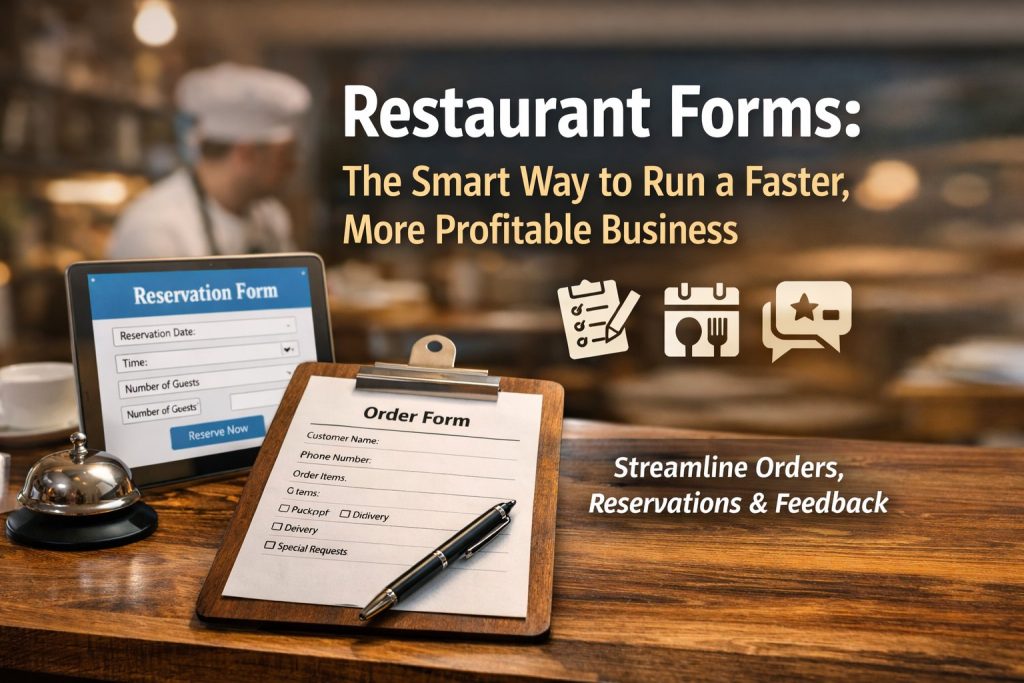
Restaurant Forms: The Smart Way to Run a Faster, More Profitable Business
Have you ever lost an order because the details were unclear—or missed a reservation because someone wrote the wrong phone number? Those small mistakes add up fast. That’s why restaurant forms have become a must-have tool for modern businesses.
Whether you’re a business owner trying to reduce operational chaos, a product manager improving workflows, an educator building hospitality training, an event planner coordinating large groups, or an HR professional hiring staff—restaurant forms make your process smoother, faster, and easier to scale.
In this guide, you’ll learn what restaurant forms are, which ones matter most, and how to create high-performing forms that customers actually complete. You’ll also get practical tips, examples, and a simple way to build forms without tech headaches.
Why Restaurant Forms Matter for Every Restaurant (and Beyond)
Many people think restaurant forms are only for customer reservations or takeaway orders. But they’re much more powerful than that. A well-designed form can replace dozens of back-and-forth messages, reduce staff workload, and capture important information consistently.
Here’s what happens when your business uses the right restaurant forms:
Fewer errors in orders, bookings, and customer requests
Faster service because staff don’t waste time clarifying details
Better customer experience through easy, professional interactions
Improved decision-making with consistent data and feedback
Streamlined hiring and training for HR teams and educators
And the best part? You don’t need expensive custom software to do it.
Types of Restaurant Forms You Should Use (and When)
Not all restaurant forms are created equal. Some drive revenue, some improve service, and others protect your brand from compliance problems. Below are the most valuable form categories—organized by real-world use.
1) Online Restaurant Order Forms (For Takeaway, Delivery and Pre-Orders)
If your restaurant offers takeaway or delivery, online restaurant order forms are one of the quickest ways to reduce miscommunication and improve order accuracy.
What a great order form should include:
Customer name and phone number
Delivery or pickup option
Address (if delivery) with location instructions
Menu selection with quantity fields
Add-ons and customizations (spice level, toppings, allergies)
Preferred delivery time
Payment method or online payment link
Pro tip: Use conditional logic so customers only see relevant fields. For example, show the delivery address only if they choose “Delivery.”
Using restaurant forms for ordering helps reduce missed items, incorrect meals, and refund requests—saving both money and reputation.
2) Restaurant Reservation Form (For Booking Tables Without the Chaos)
A busy restaurant can’t afford messy reservation tracking. A clean restaurant reservation form simplifies the entire process and avoids double bookings.
Essential reservation form fields:
Date and time
Number of guests
Contact details
Seating preference (indoor, outdoor, quiet)
Special requests (birthday, dietary restrictions)
Confirmation consent (SMS or email)
When you use restaurant forms for reservations, you also create a consistent customer experience—one that feels professional and reliable.
Bonus: Add smart automation
You can automatically:
Send a confirmation message
Share location and parking instructions
Notify staff of VIP or special requirements
3) Restaurant Feedback Form (To Improve Service and Build Loyalty)
A restaurant feedback form isn’t just a customer survey—it’s your shortcut to real improvements. Feedback forms reveal problems before they become bad reviews.
What to ask in a feedback form:
Rating for food quality, cleanliness, and service
Staff friendliness rating
Order accuracy
“What can we improve?” (open text)
“Would you recommend us?”
Permission to follow up
When you collect feedback through restaurant forms, you gain actionable insights instead of guessing what customers want.
Tip: Keep it short. The easier it is, the more responses you’ll get.
4) Restaurant Inspection Checklist (For Compliance and Consistency)
Consistency and safety matter everywhere—but especially in food service. A restaurant inspection checklist helps teams maintain quality, hygiene, and regulatory compliance.
Checklist categories to include:
Food storage temperatures
Cleanliness of prep areas
Employee hygiene checks
Expiry date checks
Equipment maintenance logs
Pest control measures
Using digital restaurant forms for inspections ensures accountability and creates a record that protects your business during audits or complaints.
5) Restaurant Event Booking Forms (For Parties, Catering and Groups)
If you host events or offer catering, you need structured details upfront. An event planner or customer should not have to email many times to confirm requirements.
Event booking form fields:
Event type (birthday, corporate, wedding)
Guest count
Preferred menu or catering option
Budget range
Date and time
Setup preferences (decor, seating layout)
Contact details
Event planners especially love restaurant forms because they help coordinate logistics quickly and professionally.
6) Restaurant Job Application Forms (For HR Teams and Growing Restaurants)
Hiring via email gets messy fast. A structured job application form ensures candidates provide consistent, comparable information.
Include fields like:
Role applying for
Experience level
Availability (weekday, weekend)
Previous employer details
Certifications (food safety training)
Upload resume option
HR professionals benefit from restaurant forms because the data can feed into shortlisting workflows, saving hours each week.
7) Staff Training and Evaluation Forms (For Educators and Course Creators)
Educators and training managers can use restaurant forms to standardize learning and measure progress.
Common training form use cases:
Training completion checklists
Skill evaluation rubrics
Shift performance reviews
Quiz forms for food safety standards
Feedback forms for training programs
If you’re a course creator building hospitality training, restaurant forms help you deliver structured experiences and track outcomes.
How to Create Restaurant Forms That People Actually Complete
A form is only useful if people fill it out. Below are practical rules that improve completion rates and reduce confusion.
Keep Forms Short and Focused
Long forms scare people away. Instead:
Ask only what you truly need
Use multiple steps for complex forms
Remove unnecessary optional fields
The best restaurant forms feel quick—like a friendly conversation, not paperwork.
Use Clear Labels and Simple Language
Avoid confusing wording. Use:
“Phone number” instead of “Contact details”
“Pick-up time” instead of “Time preference”
For global audiences, simple wording increases clarity and reduces errors.
Add Conditional Logic for Cleaner Experiences
Conditional logic means fields show only when needed. For example:
Show “Allergy details” only if the user selects “Yes”
Show “Delivery address” only if delivery is chosen
This makes restaurant forms shorter and more user-friendly.
Make Forms Mobile-Friendly
Many customers fill forms on their phones. Your restaurant forms should:
Use large buttons
Avoid tiny dropdown menus when possible
Use input validation (like phone number formatting)
Keep scrolling minimal
If your form feels annoying on mobile, people will abandon it.
Add Confirmation Messages and Next Steps
Every form needs a “what happens next” moment. After submission, show:
Confirmation message
Expected response time
Contact number (optional)
Any next step link (payment, reservation confirmation, and so on)
This builds trust and reduces follow-up calls.
Restaurant Forms for Non-Restaurant Professionals (Yes, They Matter)
You might be reading this as someone outside restaurant operations. Here’s how restaurant forms apply across roles:
For Business Owners
You reduce chaos, improve customer satisfaction, and standardize operations.
For Product Managers
You capture structured data, improve workflows, and reduce friction in user journeys.
For Educators and Course Creators
You track learning progress, assessments, and program feedback more consistently.
For Event Planners
You gather all event requirements in one place and avoid miscommunication.
For HR Professionals
You streamline hiring, onboarding, and performance tracking with consistent documentation.
Common Mistakes to Avoid When Building Restaurant Forms
Even good businesses make these mistakes. Avoid them to keep your forms effective.
Asking too many questions
More fields often leads to fewer completions.
No validation
Incorrect phone numbers and emails lead to lost reservations and missed orders.
No confirmation
Customers wonder if their form went through and call anyway.
Not tracking results
If you don’t monitor submissions, you miss patterns and improvement opportunities.
Using unclear layout
Messy forms cause wrong entries and more staff follow-ups.
Strong restaurant forms should feel smooth, natural, and fast.
Best Practices Checklist for High-Converting Restaurant Forms
Use this checklist before publishing any restaurant forms:
Primary goal is clear (order, reservation, feedback and so on)
Fewer than 12 fields when possible
Mobile-friendly design
Clear labels and simple language
Conditional logic used where relevant
Confirmation message included
Notification sent to correct team member
Submission data stored safely and accessible
1) What are restaurant forms used for?
Restaurant forms are used to collect structured information for orders, reservations, feedback, hiring, inspections, events, and training. They improve accuracy and streamline workflows.
2) Are online restaurant order forms better than phone orders?
In many cases, yes. online restaurant order forms reduce errors, allow customization, and create written order records that staff can follow—especially during peak hours.
3) What should a restaurant reservation form include?
A strong restaurant reservation form should include date and time, guest count, contact information, seating preferences, and any special requests so your staff can prepare properly.
4) How can I collect feedback without annoying customers?
Use a short restaurant feedback form with 3–5 questions. Ask for ratings and one optional open-text response. Offer a simple thank-you message after submission.
5) How do I ensure inspection and hygiene checks stay consistent?
Use a digital restaurant inspection checklist so managers can complete daily checks, log issues, and track compliance trends. It also creates documentation for accountability.
Final Thoughts: Build Better Restaurant Forms and Grow Faster
Whether you’re managing orders, improving customer service, hiring staff, or running events—restaurant forms help you work smarter, not harder. They reduce errors, improve communication, and create consistent systems that scale.
Create professional, mobile-friendly restaurant forms quickly—without complex tools or coding—start here:
https://platform.formbot.com/register/
Build forms that feel effortless for customers and powerful for your team.
Get Started and Create Forms for Free?
 (1 votes, average: 5.00 out of 5)
 Loading...