Contract Forms: The Complete Guide to Faster, Safer Agreements
Have you ever lost time chasing signatures, fixing contract mistakes, or digging through email threads for the “latest version”? If so, contract forms can solve more of your workflow problems than you think. Whether you’re a business owner closing deals, an HR professional hiring talent, a course creator onboarding students, or an event planner managing vendors, contract forms make the agreement process faster, clearer, and more reliable.
In this guide, you’ll learn what contract forms are, why they matter, and how to create them the smart way—without adding complexity. You’ll also discover tips to avoid legal risks, improve collaboration, and build forms your users actually want to complete.
What Are Contract Forms?
Contract forms are structured documents—often digital—that capture the terms of an agreement between two or more parties. They help standardize what information is collected, reduce errors, and make approvals smoother. Instead of writing contracts from scratch every time, teams use contract forms to create consistent agreements quickly.
Contract forms can include:
Service agreements
Vendor contracts
Freelance contracts
Employment and HR agreements
Course enrollment and instructor contracts
Event venue and sponsorship agreements
Non-disclosure agreements (NDAs)
Consent and release forms
The biggest advantage? Contract forms reduce manual work while improving clarity, speed, and compliance.
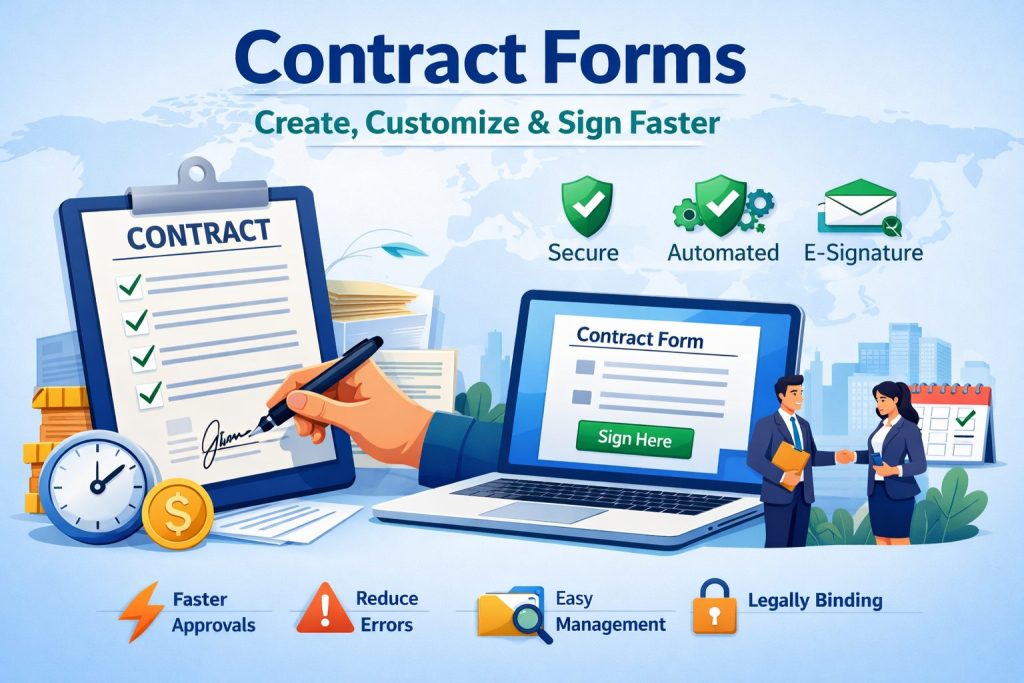
Why Contract Forms Matter for Modern Teams
If your process relies on editing Word documents, emailing PDFs, or copying old agreements, you’re not alone. But that approach often creates bottlenecks and risks. Contract forms make your workflow smoother because they’re designed for repeatable use.
Here’s why organizations adopt contract forms:
1) Faster Turnaround
With contract forms, you can create agreements in minutes instead of hours. Standard terms are already built in, and the form guides users through the right fields.
2) Fewer Mistakes
When people copy and paste contracts, mistakes happen—wrong names, outdated pricing, missing clauses. Digital contract forms enforce required fields and reduce human error.
3) Better Experience for Clients and Partners
People complete online contract forms quickly. They don’t need to download a file, print it, or scan it back. That convenience increases completion rates.
4) Stronger Compliance
Standardizing terms across contract forms improves legal consistency. This reduces risk and ensures the right clauses appear every time.
5) Cleaner Contract Management
Modern contract forms connect easily to storage, approvals, and signatures. This creates a searchable system and a reliable audit trail.
Who Benefits Most From Contract Forms?
Contract forms are helpful across industries, but these groups benefit especially:
Business Owners
You can standardize sales agreements, collect correct customer details, and close deals faster—without legal chaos.
Product Managers
Contract forms help manage vendor relationships, software partnerships, and licensing terms. They also reduce delays in approvals.
Educators & Course Creators
From enrollment agreements to instructor contracts, contract forms create a professional onboarding experience and protect your content.
Event Planners
Events involve multiple stakeholders—vendors, venues, sponsors, speakers. Contract forms keep everything consistent and signed on time.
HR Professionals
Hiring, onboarding, confidentiality, policy acceptance—HR teams need contract forms to scale smoothly and stay compliant.
Paper Contracts vs Digital Contract Forms: What’s Better?
Paper contracts still exist, but they introduce friction. Digital contract forms are easier to complete, easier to track, and easier to manage.
Here’s a quick comparison:
Paper Contracts
Slow to print and scan
Hard to track versions
Easy to lose
Manual storage and filing
Limited audit trail
Digital Contract Forms
Quick to create and share
Easy to automate approvals
Trackable and searchable
Secure storage options
Supports e-signature forms
If you’re working across teams or locations, online contract forms are almost always the more practical choice.
Essential Elements Every Contract Form Should Include
Not every agreement is the same, but strong contract forms share common components. Make sure yours includes:
Parties Involved
Legal names, business names, and roles.Scope of Work / Purpose
A clear description of what is being agreed to.Deliverables and Timeline
Milestones, due dates, and responsibilities.Payment Terms
Amount, schedule, and late fee terms if relevant.Confidentiality & Data Security
Especially important when handling customer or employee data.Termination Terms
What happens if someone wants to end the contract?Dispute Resolution
Arbitration, jurisdiction, and governing law where applicable.Signatures
Digital signing is now standard. E-signature forms streamline completion significantly.
Pro tip: Create a “core” contract form structure you can reuse and modify by category.
How to Create Contract Forms That People Actually Complete
A contract form isn’t just a document—it’s an experience. If it’s confusing or too long, completion rates drop.
Here’s how to design contract forms for high completion:
Keep It Simple
Use short sentences and plain language. Avoid legal jargon when possible. Clarity builds trust.
Use Smart Field Logic
If you’re using digital forms, add conditional logic so users only see fields that apply to them.
Make Fields Clear and Specific
Instead of “Address,” use “Billing Address” or “Business Address.” Small changes reduce confusion.
Use Checkboxes for Consents
For agreements like NDAs or policy acceptance, checkboxes are faster than long typed statements.
Add an Auto-Generated Summary
A summary section helps both parties confirm key terms before signing.
Include an Approval Workflow
If your organization needs internal review, build steps for legal, finance, or leadership approval.
When done right, contract forms reduce back-and-forth and speed up agreement cycles.
Best Practices for Using Contract Templates Without Risk
Many people search for contract templates, copy one, and assume they’re safe. Templates are helpful, but only if handled correctly.
Use these best practices:
1) Start with Standard Terms
Build a library of approved contract templates and align them with your legal requirements.
2) Add Version Control
Always track template changes. Don’t let teams use outdated templates.
3) Customize Carefully
Not every contract form should be identical. Some terms vary based on region, pricing model, or service type.
4) Make Legal Review Easy
Keep a review process for new contract form types or complex agreements.
5) Use Consistent Naming and Storage
Use a predictable naming system for contract forms so they’re easy to find later.
The goal isn’t just speed—it’s speed with safety.
Contract Forms for Real Use Cases (Examples You Can Apply)
Here are examples of contract forms across common workflows:
Business & Sales
Client service agreement form
Subscription agreement form
Partnership contract form
Product & Vendor Management
Vendor onboarding contract form
Licensing agreement form
Procurement agreement form
Education & Training
Course enrollment agreement form
Instructor contract form
Coaching service agreement form
Events
Venue agreement contract form
Sponsorship agreement form
Speaker contract form
HR
Employment agreement form
Independent contractor contract form
NDA and policy acknowledgment forms
Each of these can be built using online contract forms and standardized for your team.
How to Improve Contract Form Conversions (Yes, Contracts Can Convert)
Even “serious” documents benefit from good UX. If you want people to complete contract forms quickly, treat the form like a product.
Try these conversion-friendly tactics:
Use progress indicators for long contract forms
Keep mobile-friendly layout for easy completion
Pre-fill fields when possible (like name or email)
Use clear headings for each section
Highlight key terms (payment, deadlines, obligations)
Allow saving and returning later
Small improvements lead to faster completion and fewer drop-offs—especially with vendors, freelancers, and customers.
Security and Compliance: What to Look for in Digital Contract Forms
Security matters when contracts include private data, pricing details, or employee information. When using digital forms, focus on:
Secure access control
Encryption (in transit and at rest)
Audit trails
Role-based permissions
Compliance options depending on your industry
Data retention controls
If you work with HR documents, education agreements, or client data, contract forms must support responsible data security practices.
Common Mistakes to Avoid When Building Contract Forms
Even strong teams make avoidable errors. Here are the most common contract form mistakes:
Using too many open-text fields
Use dropdowns, checkboxes, and structured inputs where possible.Not setting required fields
Missing core details leads to delays.Skipping review workflows
Legal and finance should have visibility for certain contract forms.Using inconsistent language across templates
This causes confusion and weakens enforceability.Not confirming signature authority
Make sure the signer is the right person to agree to the terms.
Fixing these mistakes improves completion and reduces future disputes.
Step-by-Step: A Simple Contract Form Workflow
Here’s a clean and scalable workflow you can apply:
Choose a contract template approved for your use case
Customize fields (client info, service scope, pricing)
Route for internal approval if required
Send to the other party via online contract forms
Collect signatures using e-signature forms
Store securely with naming conventions
Track expiration and renewals
This workflow is easy to run with modern contract forms and improves consistency across teams.
FAQ: Contract Forms (Common Questions)
1) Are contract forms legally binding?
Yes—contract forms can be legally binding if they include offer, acceptance, consideration, and clear terms, and both parties agree. Digital forms can also be enforceable in many regions, especially with proper signature tracking.
2) What’s the difference between contract forms and contract templates?
A contract template is a reusable starting document. Contract forms are structured versions that collect specific inputs and generate an agreement consistently—often with automation and signature support.
3) Can I use online contract forms for HR and hiring?
Absolutely. Many HR teams use online contract forms for employment agreements, confidentiality agreements, policy acknowledgments, and contractor onboarding.
4) Do I need e-signature forms for every contract?
Not always, but e-signature forms greatly reduce friction and speed up execution. They also improve tracking and provide an audit trail.
5) What should I include to make contract forms more secure?
Use strong access controls, encryption, audit logs, and role permissions. Avoid collecting unnecessary sensitive data, and store completed contract forms securely.
Final Thoughts: Contract Forms Help You Scale Without the Chaos
When agreements are inconsistent, slow, or hard to track, business growth becomes harder than it needs to be. The right contract forms make your operations smoother. They reduce errors, improve compliance, and speed up signing—whether you manage clients, vendors, employees, students, or event partners.
If you want to build smarter workflows and create contract forms that look professional, are easy to complete, and reduce delays, it’s time to switch to a better system.
Ready to create professional contract forms in minutes and streamline your workflow?
Get started here: https://platform.formbot.com/register/
Get Started and Create Forms for Free?
 (1 votes, average: 5.00 out of 5)
 Loading...