Agenda Forms Create Clarity and Focus for Every Meeting
Ever walked out of a meeting thinking, “What was the point of that?” That’s exactly the problem that well-designed agenda forms create solutions for. When you turn a loose plan into a clear, structured agenda form, you get focused discussions, faster decisions, and better outcomes for everyone involved.
Whether you’re a business owner, product manager, educator, event planner, or HR professional, learning how to build effective agenda forms can transform the way you run meetings, workshops, training sessions, and events. In this guide, we’ll explore how agenda forms create structure, what to include in them, and how to use digital tools to build them in minutes.
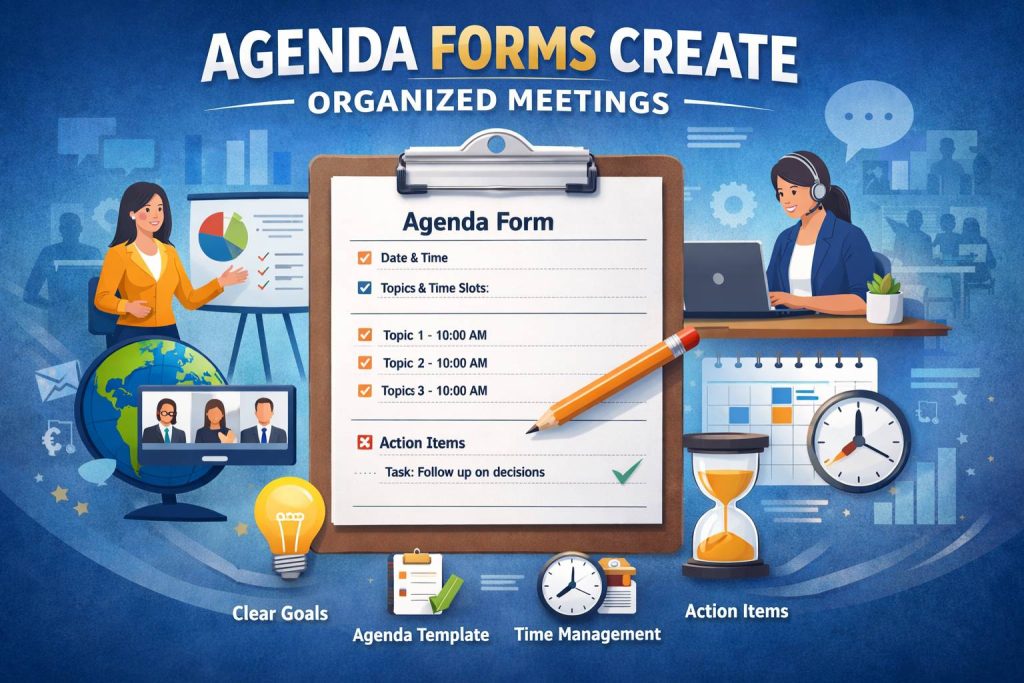
What Are Agenda Forms?
Agenda forms are structured documents or digital forms that outline the key information for a meeting, session, or event. Instead of a vague list of talking points, agenda forms create a clear path from start to finish.
A good agenda form usually includes:
Meeting or event title
Date, time, and location (or video link)
Purpose or objectives
Topics or sections with time slots
Owners or presenters for each item
Space for notes, decisions, and action items
When used consistently, agenda forms create a shared understanding for everyone involved. People know why they’re there, what’s expected of them, and what needs to be done next.
Why Agenda Forms Matter for Different Roles
Different professionals use agenda forms in different ways, but the core benefit is the same: agenda forms create alignment and reduce chaos.
For Business Owners & Product Managers
Business owners and product managers often juggle strategy meetings, stand‑ups, client calls, and project reviews. Well-structured meeting agenda templates help you:
Keep conversations focused on outcomes, not side topics
Prioritize high-impact decisions
Track follow-ups and responsibilities
Communicate clearly with stakeholders and clients
In fast-moving environments, agenda forms create repeatable workflows. You can reuse the same agenda form template for weekly leadership meetings, sprint reviews, or stakeholder updates.
For Educators & Course Creators
If you teach, coach, or create courses, agenda forms create structure for lessons, workshops, and webinars. Instead of winging it, you can:
Break lessons into clear segments (intro, concepts, practice, Q&A)
Make sure you cover all key learning objectives
Allocate time to interaction, not just lectures
Track questions and feedback to improve future sessions
For online classes, using a digital meeting agenda template also helps learners know what to expect before they join.
For Event Planners
Events fall apart when details are unclear. For event planners, agenda forms create a backbone for:
Conferences and summits
Webinars and virtual events
Networking events and meetups
Internal company events
You can define session timings, speaker slots, tech checks, breaks, and wrap-ups. When your agenda is clear, your speakers and vendors know exactly what to do and when to do it.
For HR Professionals
HR professionals use agenda forms for:
Interviews
Onboarding sessions
Performance reviews
Training and compliance workshops
Consistent agenda forms create fairness and transparency. Every candidate, employee, or team gets the same structure, which reduces bias and improves the overall experience.
Key Elements: What Makes Agenda Forms Create Real Results
Not every agenda form is created equal. To make agenda forms create real business value, you need a few essential elements.
1. A Clear Purpose
Start with a simple statement:
“By the end of this meeting, we will…”
This one line sets expectations. It helps participants see why their time matters and how they can contribute.
2. Time-Boxed Topics
Unstructured talk eats up time. When agenda forms create clear time slots, people stay focused. For each topic, include:
Topic name
Owner or presenter
Time allotted
Desired outcome (e.g., “decision,” “brainstorm,” “status update”)
3. Roles and Responsibilities
If everyone thinks someone else will take notes, no one does. Use your agenda form template to specify:
Facilitator
Timekeeper
Note taker
Decision maker (when applicable)
This simple clarity can overhaul your meeting efficiency.
4. Decisions and Action Items
Great agenda forms don’t stop at discussion. Agenda forms create momentum when they include space for:
Decisions made
Who is responsible
Due dates
Follow-up meetings (if needed)
This turns your meeting from a conversation into a concrete plan.
Digital vs. Paper: Why Online Agenda Forms Win
You can use pen and paper, but digital agenda forms create far more value—especially for global teams.
Here’s why online is better:
Easy sharing: Send the agenda before the meeting so everyone can prepare.
Live editing: Adjust timing and topics on the fly if needed.
Reusable templates: Clone a meeting agenda template for recurring sessions.
Centralized records: Store your agendas and notes in one place for future reference.
Automation potential: Connect to tools for reminders, emails, and task management.
If you use an online form builder, you can also:
Let participants submit topics in advance
Collect feedback after the meeting
Turn form responses into structured agendas automatically
In short, digital agenda forms create a smoother experience from planning to follow-up.
How to Design an Effective Agenda Form (Step-by-Step)
Let’s walk through how agenda forms create a complete experience for your meeting or event. You can follow this process in any modern online form builder.
Step 1: Start with the Basics
Begin your agenda form with:
Meeting or event title
Date and time (with time zone if global)
Location or video link
Organizer name and contact
These basics help agenda forms create clarity before anyone even reads the details.
Step 2: Define the Purpose and Audience
Add a short field or section that describes:
Purpose of the meeting
Who should attend
What participants should do beforehand
For example:
“Purpose: Align on Q3 product roadmap and finalize top 3 initiatives.”
Now your agenda forms create context and expectations.
Step 3: Break Down Topics into Sections
Create a structured list of topics. You can use a table-style or list-style layout to:
Add topic name
Assign owner
Set time estimate
Define expected outcome
This is where agenda forms create a logical flow. It stops the meeting from jumping around.
Step 4: Add Optional Fields for Participant Input
Use your online form builder to add fields like:
“Add discussion topics or questions”
“Share documents or links in advance”
“Vote on priority topics”
Now agenda forms create collaboration, not just top‑down instructions.
Step 5: Include Follow-Up and Feedback
Add sections for:
Decisions made
Action items
Next steps
Post-meeting feedback
You can use the same agenda form before and after the meeting, turning it into a full lifecycle tool. This is where agenda forms create lasting value instead of being a one-time document.
Sample Structure: A Simple Agenda Form Template
Here’s a simple text-based structure you can adapt into your own agenda form template or use when you create agenda online with a form builder:
Meeting Title
Date & Time
Location / Video Link
Organizer
Purpose / Objectives
Attendees
Agenda Sections:
Topic 1
Owner:
Time:
Outcome:
Topic 2
Owner:
Time:
Outcome:
Topic 3
Owner:
Time:
Outcome:
Notes & Decisions:
Key decisions:
Action items (who / what / by when):
Feedback:
What went well?
What should we change for next time?
This structure helps agenda forms create consistency across every meeting, from leadership reviews to training sessions.
How Agenda Forms Create Better Experiences by Use Case
Let’s zoom in on a few concrete scenarios.
Product Roadmap Review (Business Owner / Product Manager)
In this case, agenda forms create:
A clear list of features or initiatives to discuss
Priority tags (high / medium / low)
Space to capture trade-offs and decisions
A final list of what makes it into the roadmap
Using a reusable meeting agenda template, you can run every roadmap review the same way, which makes your process transparent and trustworthy.
Live Workshop or Webinar (Educators & Course Creators)
Here, agenda forms create:
A flow from introduction to main content to Q&A
Time blocks for interaction and breakout sessions
Space to collect questions before the session
Follow-up resources and feedback fields
If you create agenda online, you can send this agenda form as a registration or confirmation email, so participants know what’s coming.
Conference Day Plan (Event Planners)
For events, agenda forms create:
A master schedule with session start/end times
Speaker lineup, tech setup, and room details
Coordination points for catering, breaks, and closing
Space to track last-minute changes
This reduces stress and helps your team respond quickly when something shifts.
Performance Review Meeting (HR Professionals)
In HR settings, agenda forms create:
A fair and repeatable structure for every review
Sections for achievements, challenges, and goals
Space to note agreements and action items
Documentation that can be referenced later
Using a consistent agenda form template is especially helpful when multiple managers run similar conversations.
Best Practices: Making Agenda Forms Create Maximum Impact
To get the most from your forms, keep these tips in mind:
Keep it simple: If it feels heavy, people won’t use it. Short, clear sections work best.
Share early: Send the agenda before the meeting so participants can prepare.
Stick to times: Respect time boxes to build trust and keep energy up.
Limit topics: Fewer topics with clear outcomes beat long lists you never finish.
Review at the end: Use the “decisions and actions” section to close every session.
Over time, you’ll see how consistent agenda forms create better habits across your organization.
Using FormBot to Build Agenda Forms in Minutes
You don’t need to be a designer or developer to create agenda online. With a tool like FormBot, you can use an online form builder to set up smart, reusable agenda forms for every type of meeting or event.
Here’s how agenda forms create powerful workflows when you build them with FormBot:
Choose a template
Start with an existing meeting or event template.
Adjust fields to match your needs (topics, time slots, owners).
Customize for your role
Business owners and product managers can add project or sprint fields.
Educators can add learning objectives and resource links.
Event planners can add speaker and session details.
HR professionals can add performance criteria and goals.
Automate notifications and reminders
Send the agenda form to participants before the session.
Trigger reminder emails to complete pre-work or add topics.
Capture decisions and feedback
Use the same form to record decisions and actions after the meeting.
Send a quick feedback section to improve the next session.
Reuse and scale
Save your form as a meeting agenda template.
Clone it for recurring meetings with just a few clicks.
When you set this up once, agenda forms create a scalable system that saves hours every week.
Ready to try it? You can start building powerful digital agenda forms right now with FormBot:
👉 Create your free FormBot account
FAQs About Agenda Forms and Templates
1. What are agenda forms used for?
Agenda forms are used to plan and run structured meetings, training sessions, or events. They outline the purpose, topics, timing, and roles so agenda forms create clarity and alignment for everyone involved. They also provide a space to record decisions and action items.
2. How do I create a simple meeting agenda template?
To create a simple meeting agenda template, include:
Meeting title, date, and time
Purpose of the meeting
List of topics with time slots and owners
Space for notes, decisions, and actions
You can build this in a document, but an online form builder makes it easier to share, reuse, and track over time.
3. Can agenda forms create better engagement in online meetings?
Yes. When used well, agenda forms create more engagement by:
Helping participants prepare in advance
Allowing people to submit topics or questions
Keeping discussions focused and time-boxed
Making it clear what will happen next
This is especially important for remote or hybrid teams.
4. Should I use a digital tool or a paper agenda?
Digital agenda forms create more long-term value than paper agendas. You can share them easily, edit in real time, reuse templates, and connect them to other tools like email and task managers. Paper can work for small, local sessions, but digital scales much better for global teams.
5. How often should I reuse the same agenda form template?
You can reuse a core agenda form template for any recurring meeting—weekly check-ins, sprint reviews, performance conversations, or monthly reports. Slightly adjust sections as your needs evolve, but keep the core structure. Over time, you’ll find that consistent agenda forms create smoother, faster, and more predictable sessions.
If you’re ready to stop wasting time in unorganized meetings and events, start using digital forms to turn chaos into clarity. Let agenda forms create the structure your team needs—and let automation handle the rest.
👉 Start building powerful agenda forms now with FormBot:
https://platform.formbot.com/register/
Get Started and Create Forms for Free?
 (1 votes, average: 5.00 out of 5)
 Loading...