Remote Work Application Form: The Smart Way to Hire and Scale
Is your team still reviewing unstructured resumes and endless emails for remote roles? As distributed teams become the global standard, companies need faster and more reliable ways to evaluate candidates. A Remote Work Application Form helps organizations streamline hiring, collect relevant data upfront, and make better decisions without wasting time.
For business owners, HR professionals, educators, and event planners alike, using the right application form is no longer optional—it’s a competitive advantage.
What Is a Remote Work Application Form?
A Remote Work Application Form is a structured digital form designed to collect essential information from candidates applying for remote positions. Unlike traditional resumes, it standardizes responses, making it easier to compare applicants fairly and efficiently.
By using a centralized form, hiring teams gain clarity, consistency, and speed throughout the recruitment workflow.
Why Remote Work Application Forms Matter More Than Ever
Remote work is no longer limited to tech startups. In 2026, organizations across education, HR, events, and product teams rely on global talent pools. However, hiring remotely comes with challenges—communication gaps, timezone mismatches, and unclear expectations.
A well-designed Remote Work Application Form solves these problems early by setting standards before interviews even begin.
Key Benefits
Reduces screening time by up to 50%
Improves candidate quality
Ensures compliance and documentation
Creates a professional first impression
How a Remote Work Application Form Works
The process is simple yet powerful. Candidates submit structured information before human review begins.
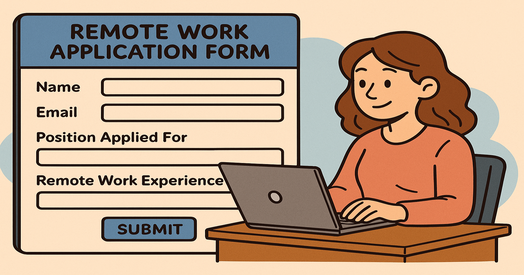
Typical Workflow
Candidate accesses the remote work application form
Applicant submits required information
Responses are automatically stored and organized
Hiring managers review qualified candidates only
This automation ensures every applicant is evaluated using the same criteria.
Essential Fields to Include in a Remote Work Application Form
A high-performing Remote Work Application Form balances depth with simplicity. Asking the right questions upfront saves hours later.
Core Information
Full name and contact details
Role applied for
Location and timezone
Remote Readiness Questions
Previous remote work experience
Internet reliability and workspace setup
Preferred working hours
Skills & Availability
Relevant tools and software experience
Weekly availability
Start date
Using these sections ensures you assess both skill fit and remote compatibility.
Industry-Specific Use Cases
Business Owners & Product Managers
Business leaders use a Remote Work Application Form to screen candidates for autonomy, communication skills, and accountability—critical traits for remote success.
Product managers also use forms to pre-evaluate problem-solving abilities and tool familiarity before live discussions.
Educators & Course Creators
Online instructors and course creators rely on remote teaching assistants, mentors, and coordinators. Application forms help assess teaching experience, communication style, and availability across time zones.
Event Planners
Virtual and hybrid events require remote coordinators, marketers, and moderators. A remote work application form ensures candidates are comfortable working under deadlines and across platforms.
HR Professionals
HR teams benefit the most. Structured application forms improve compliance, reduce bias, and integrate seamlessly into digital hiring processes and online employee onboarding systems.
Best Practices for Designing a High-Converting Remote Work Application Form
1. Keep It Clear and Focused
Avoid overwhelming candidates. Limit questions to what truly matters for the role.
2. Use Simple Language
Clear instructions improve completion rates and reduce confusion, especially for global applicants.
3. Add Conditional Logic
Show questions only when relevant. This keeps the form short and engaging.
4. Make Mobile-Friendly
Many applicants apply from mobile devices. A responsive design is essential.
5. Test Before Launch
Always test the form to ensure data flows correctly and fields are easy to complete.
Remote Work Application Form vs Traditional Hiring Methods
| Feature | Traditional Hiring | Remote Work Application Form |
|---|---|---|
| Resume screening | Manual | Automated |
| Candidate comparison | Inconsistent | Standardized |
| Time to shortlist | Slow | Fast |
| Data accuracy | Variable | High |
The difference is efficiency, clarity, and scalability.
Common Mistakes to Avoid
Asking irrelevant or vague questions
Ignoring timezone compatibility
Making forms too long
Not reviewing submissions regularly
Avoiding these errors ensures your Remote Work Application Form remains effective and candidate-friendly.
How Automation Enhances Remote Hiring
Modern teams pair application forms with automation tools to streamline workflows. Automation allows you to:
Route applications to the right team
Trigger interview scheduling
Store data securely
This creates a seamless digital hiring process from application to onboarding.
Tips to Improve Completion Rates
Clearly explain why you’re collecting information
Add progress indicators
Use friendly confirmation messages
Offer flexible submission options
A positive experience increases candidate trust and engagement.
Frequently Asked Questions (FAQs)
1. What is a Remote Work Application Form used for?
A Remote Work Application Form is used to collect structured information from candidates applying for remote roles, helping employers screen efficiently.
2. How is it different from a resume?
Unlike resumes, application forms standardize responses, making comparisons easier and reducing bias.
3. Are remote work application forms suitable for global hiring?
Yes. They are ideal for global teams, allowing employers to assess timezone, availability, and remote readiness.
4. Can small businesses use a Remote Work Application Form?
Absolutely. Small teams benefit by saving time and improving hiring accuracy without extra resources.
5. How long should a Remote Work Application Form be?
Ideally, it should take 10–15 minutes to complete. Shorter forms improve completion rates.
Final Thoughts: Hire Better, Faster, and Smarter
In 2026, remote work is no longer a trend—it’s the foundation of modern business. A Remote Work Application Form gives you structure, clarity, and confidence in every hiring decision.
If you want to build intelligent application forms without complexity or coding, now is the perfect time to act.
👉 Create smarter remote hiring workflows today
Get started here: https://platform.formbot.com/register/
Your future team is waiting.
Get Started and Create Forms for Free?
 (1 votes, average: 5.00 out of 5)
 Loading...