Cash App Form Creator: The Ultimate Tool for Smart Payments in 2026
Are you tired of handling messy payment links and unorganized transaction records? Whether you’re a business owner, educator, or event planner, managing payments efficiently is key to keeping your operations smooth. That’s where a Cash App form creator comes in handy.
In 2026, digital payments have become a global necessity, and Cash App continues to lead the way. But combining it with an intuitive form creator can supercharge your workflow — letting you collect payments, customer details, and data all in one place.
This guide will help you understand what a cash app form creator is, how it works, and how you can use it to grow your business or organization.
What Is a Cash App Form Creator?
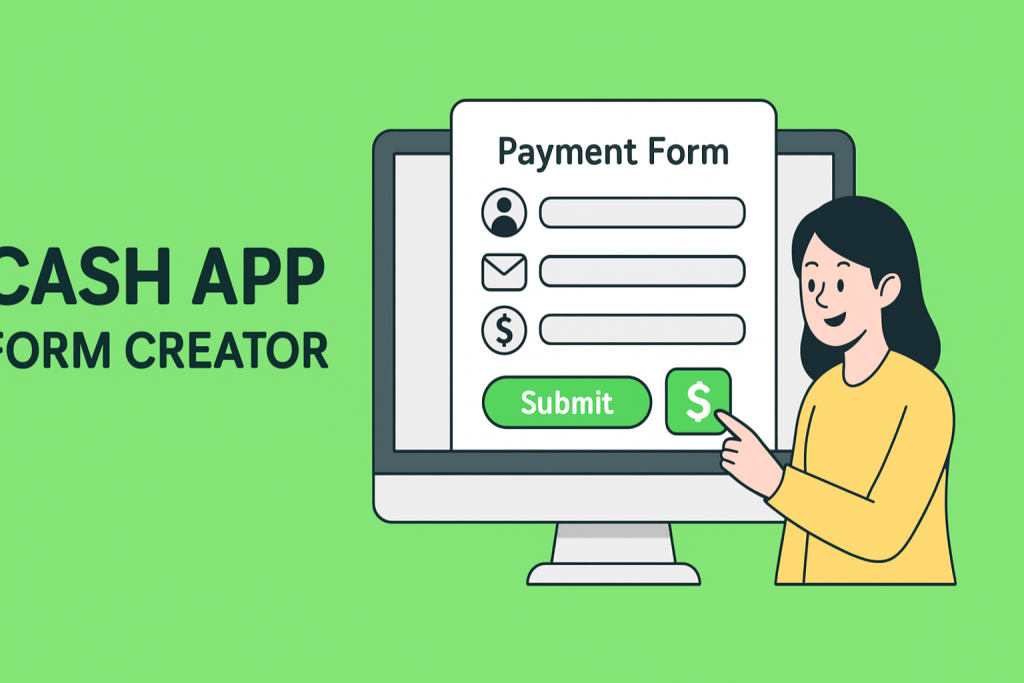
A Cash App form creator is a tool that allows you to design and share custom forms that integrate with Cash App payment options. It lets users submit information (like name, email, and purpose of payment) while simultaneously processing payments through Cash App or linked methods.
Think of it as a smarter way to accept payments and collect information — perfect for small businesses, educators, and event organizers.
Key Functions Include:
Collecting payments securely via Cash App
Gathering customer or attendee details
Sending automated confirmations
Tracking transactions and submissions in real time
It’s a simple yet powerful combination of form creation and payment integration.
Why You Should Use a Cash App Form Creator in 2026
Whether you’re selling tickets, running a donation campaign, or collecting course fees, using a cash app form creator offers automation, speed, and transparency.
Top Benefits:
Simplifies Payment Collection
Accept payments easily from customers without manually sharing your Cash App tag.Reduces Errors
Automated data entry ensures all customer and transaction details are accurate.Boosts Professionalism
Custom-branded payment forms show customers you’re organized and trustworthy.Time-Saving Automation
Automatically send receipts or confirmations after successful payments.Global Accessibility
Perfect for businesses and educators reaching international audiences using Cash App.
Features to Look for in a Reliable Cash App Form Creator
When choosing a form builder that works with Cash App, focus on the features that improve efficiency, branding, and data security.
1. Payment Integration
Your form creator should integrate seamlessly with Cash App or other payment processors like Stripe or PayPal.
2. Custom Branding Options
Add your logo, color scheme, and business name to create a cohesive payment experience.
3. Responsive Design
Ensure your form looks great on all devices — mobile, tablet, and desktop.
4. Secure Transactions
The platform must include SSL encryption and secure payment gateways to protect sensitive data.
5. Analytics & Reporting
Track who’s paying, how much they’re paying, and when — to understand customer trends.
How to Create a Cash App Payment Form (Step-by-Step)
Here’s a simple guide to get started with your first Cash App form using tools like FormBot:
Step 1: Sign Up on FormBot
Go to FormBot’s registration page and create a free account.
Step 2: Choose a Payment Form Template
Select from multiple pre-designed payment templates tailored for donations, registrations, or product sales.
Step 3: Add Cash App Payment Fields
Insert a field for users to provide their Cash App handle or payment confirmation.
Step 4: Customize Your Form
Add fields for name, email, and payment amount. Include branding elements to match your business.
Step 5: Enable Payment Notifications
Turn on automatic email alerts for both you and the payer once a transaction is completed.
Step 6: Publish and Share
Embed the form on your website, or share it via social media or email campaigns.
Use Cases of Cash App Form Creators Across Industries
1. For Business Owners
Create cash payment forms for orders, invoices, or client payments.
Example: A bakery can send customers a form with pre-filled product options and total cost.
2. For Product Managers
Collect beta test fees or app subscriptions directly via Cash App-linked forms.
3. For Educators & Course Creators
Gather enrollment fees, course sign-ups, and learning material payments easily.
4. For Event Planners
Handle ticket sales, RSVP fees, or vendor registrations without manual follow-up.
5. For HR Professionals
Collect deposits for company events or charitable initiatives efficiently.
SEO Benefits of Using a Cash App Form Creator
Integrating a payment form on your website or landing page can also help your SEO indirectly.
How It Helps:
Increased Engagement: Interactive forms keep visitors on your site longer.
Higher Conversion Rates: Simplified payment steps reduce drop-offs.
Improved Credibility: Secure, branded forms make your business more trustworthy.
Enhanced User Experience: Faster payments mean happier customers, improving dwell time and repeat visits.
Best Practices for Designing a High-Converting Cash App Form
Follow these tips to ensure your cash app form looks professional and converts efficiently:
Keep It Simple: Avoid unnecessary fields. Only ask for essential information.
Use Clear CTAs: Buttons like “Pay Now” or “Send Payment” encourage action.
Add Instructions: Include short guidance on how to use Cash App for first-time users.
Include Your Branding: Make your form look professional and credible.
Test Before Sharing: Ensure all links and payment confirmations work smoothly.
Example: Simple Cash App Payment Form Structure
Form Title: Secure Payment Form
Description: Use this form to complete your payment via Cash App.
Fields:
Full Name
Email Address
Payment Purpose
Payment Amount
Cash App Handle
Button: [Submit Payment]
Auto Response:
“Thank you for your payment! Your transaction has been received. We’ll contact you shortly with details.”
Why FormBot Is the Best Cash App Form Creator
FormBot stands out as one of the most flexible and user-friendly form creators in 2026. It integrates payment processing, automation, and analytics into a single platform — making it ideal for professionals across industries.
Key Advantages:
Simple drag-and-drop interface
Cash App and multi-payment compatibility
Real-time analytics and email notifications
Custom branding for businesses and events
Secure cloud storage and data protection
FormBot’s Cash App form creator ensures that you can manage both forms and payments with ease — no coding required.
Conclusion: Simplify Payments with a Cash App Form Creator
In 2026, simplicity, automation, and speed define successful digital payments. A cash app form creator helps you achieve all three — reducing manual work, increasing efficiency, and offering customers a frictionless payment experience.
Whether you’re managing business transactions, collecting event fees, or processing student payments, integrating Cash App with a form builder like FormBot can transform how you handle payments globally.
👉 Start Creating Your Cash App Form with FormBot Today!
Frequently Asked Questions (FAQs)
1. What is a Cash App Form Creator?
It’s a tool that lets users create forms integrated with Cash App for collecting payments and customer data easily.
2. Can I customize my Cash App payment form?
Yes. You can add your logo, colors, and even conditional fields to match your brand style.
3. Is it safe to collect payments through a Cash App form?
Absolutely. Platforms like FormBot use SSL encryption and secure APIs to ensure payment protection.
4. Who can use a Cash App Form Creator?
Business owners, educators, HR teams, and event planners can all benefit from creating secure and organized payment forms.
5. Does FormBot support other payment methods besides Cash App?
Yes, FormBot integrates with multiple gateways like PayPal, Stripe, and Square for global payment flexibility.
Get Started and Create Forms for Free?
 (1 votes, average: 5.00 out of 5)
 Loading...