Final Forms: A Comprehensive 2026 Guide for Modern Professionals
In a world driven by data, efficiency, and digital workflows, final forms play a critical role in streamlining how information is collected, processed, and stored. Whether you’re a business owner, educator, product manager, event planner, or HR professional, understanding how to design and manage final forms can save you hours of manual work — while improving accuracy and compliance.
In this comprehensive guide, we’ll explore what final forms are, why they matter in 2026, and how to create, manage, and optimize them for maximum productivity and engagement.
What Are Final Forms?
A final form refers to the completed, approved, and locked version of a digital or physical form that’s ready for submission or collection. It’s the definitive version that captures accurate, verified data — ensuring everyone interacts with the same, standardized version.
In simple terms:
A final form is the polished, official version of any form — ready for real-world use. It’s not a draft or a prototype; it’s the end product that’s been reviewed, tested, and approved.
Examples of final forms include:
Online registration forms for events or courses
HR onboarding or feedback forms
Business or customer satisfaction surveys
Product feedback and compliance documentation
Education enrolment and performance review forms
Once published, the final form becomes the single source of truth — ensuring consistent data collection and eliminating confusion among users.
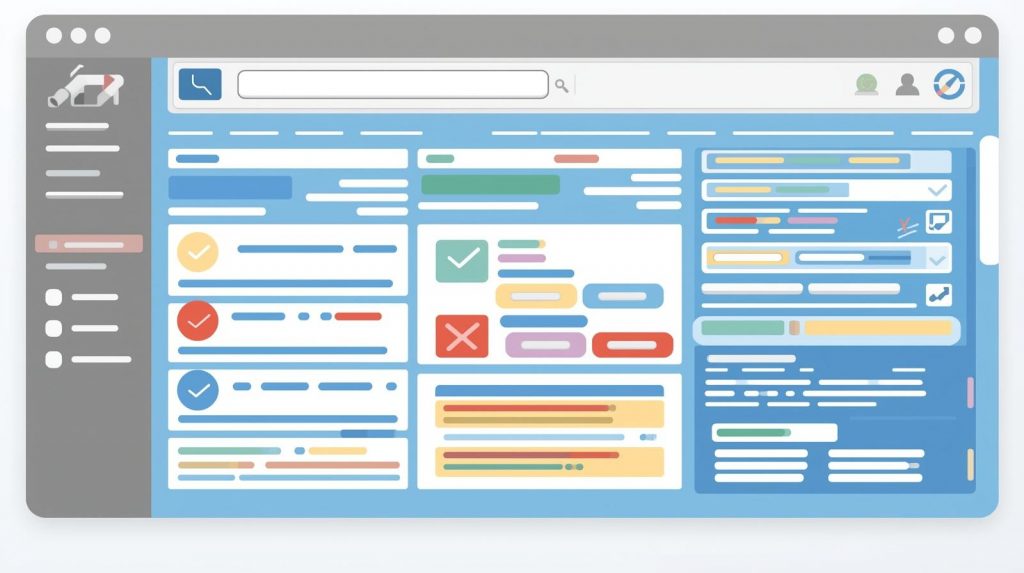
Why Final Forms Matter in 2026
In 2026, organizations across industries are moving toward automated, data-driven systems, where accuracy and efficiency are key. Final forms make it possible to standardize processes, reduce human error, and ensure accountability.
1. Improves Data Accuracy
When everyone fills out the same approved version, data inconsistencies disappear. This ensures your reporting, analytics, and decision-making are based on accurate inputs.
2. Saves Time and Resources
By eliminating multiple drafts or revisions, final forms reduce back-and-forth communication. Teams spend less time fixing errors and more time analyzing results.
3. Enhances Compliance
Finalized forms ensure you’re always working with approved versions that meet company, legal, or educational standards. This is critical for compliance audits or HR documentation.
4. Streamlines Workflows
Digital final forms often integrate with other systems like CRMs, HR software, or learning management systems (LMS), automating submission tracking and follow-up actions.
5. Supports Global Accessibility
Cloud-based final forms can be accessed and completed from anywhere — ideal for multinational teams, students, or event participants.
The Lifecycle of a Final Form
Understanding how a form evolves from draft to final is key to successful implementation.
1. Draft Creation
Start by identifying your objectives — what information do you need to collect? Draft the initial form with essential fields such as name, contact details, or feedback sections.
2. Internal Review
Share the draft with stakeholders (HR, marketing, education teams, etc.) for feedback. This stage helps catch missing elements or unclear questions.
3. Testing Phase
Before publishing, test the form with a small group. Ensure all fields, dropdowns, and logic functions (like required fields) work correctly.
4. Finalization and Approval
Once revisions are complete, finalize the form layout and lock it. This becomes your final form — ready for data collection.
5. Distribution
Share the form via email, website, social media, or embed it into your portal. For internal use, restrict access to specific departments.
6. Data Collection and Analysis
Monitor responses, track progress, and analyze results. Export data to analytics tools or dashboards for deeper insights.
How to Create Effective Final Forms (Step-by-Step)
Creating a professional and efficient final form involves thoughtful design, user experience, and integration with your workflow.
Step 1: Define Your Objective
Ask yourself:
What’s the purpose of the form?
Who is the target audience?
What kind of data are you collecting?
This helps determine your form’s structure and tone — whether it’s formal for HR, analytical for business, or educational for course creators.
Step 2: Choose the Right Tool
Pick a form-building or automation tool that fits your organizational needs.
Popular tools for final forms include:
Formbot – For advanced workflow automation and integrations.
Google Forms – For basic, free, and cloud-accessible forms.
Microsoft Forms – Ideal for enterprise users in Microsoft ecosystems.
Jotform or Typeform – For modern design and branding options.
Adobe Acrobat – For printable and fillable PDF forms.
Look for these features:
✅ Version control and form history
✅ Conditional logic (if/then rules)
✅ Secure data collection (SSL, GDPR compliance)
✅ Integration with other apps (Sheets, CRMs, etc.)
Step 3: Design the Layout
A well-structured layout improves completion rates and readability.
Tips for professional design:
Use short, clear labels for each field.
Group related questions (e.g., contact details, feedback, or ratings).
Include visual cues (e.g., asterisks for required fields).
Add a progress bar for long forms.
Keep the design clean and consistent with your branding.
Example layout for a Final Event Registration Form:
| Section | Fields |
|---|---|
| Personal Info | Name, Email, Phone Number |
| Preferences | Session selection, Meal choice |
| Payment | Payment method, Receipt confirmation |
A well-balanced structure ensures users can complete the form without confusion or fatigue.
Step 4: Add Interactivity and Automation
Modern final forms are not static — they’re dynamic and smart.
Use conditional logic:
Show or hide questions based on user answers.
Auto-fill fields when possible.
Use digital signatures for approvals.
Integrate with workflow automation tools:
Automatically send form responses to your database or spreadsheet.
Notify relevant team members when a form is submitted.
Trigger automated email confirmations for respondents.
Automation transforms final forms from simple data collectors to powerful process enablers.
Step 5: Test, Review, and Approve
Before calling it the “final” version, conduct a quality assurance review:
Check for broken links, typos, or duplicate fields.
Verify that all mandatory questions work properly.
Test across devices (desktop, mobile, tablet).
Ensure multilingual compatibility if your audience is global.
Once all tests pass, label it clearly as Final Form – Version 1.0 (2026) for tracking and compliance.
Step 6: Publish and Distribute
Now, it’s time to go live.
Distribution methods:
Embed on your website: Perfect for course registrations or event sign-ups.
Email campaigns: Send directly to participants or employees.
QR codes: Display at physical events for quick access.
Intranet or LMS platforms: Use for internal HR or education workflows.
Step 7: Collect, Analyse, and Optimize
Once your final form is active, monitor performance and usage.
Metrics to track:
Submission rates
Abandonment rates (where users drop off)
Average completion time
Field-level errors or skipped questions
Use these insights to improve future forms or create updated versions (v2.0, v3.0, etc.).
Benefits of Using Final Forms in Professional Settings
For Business Owners:
Automate customer feedback collection.
Standardize internal reporting templates.
Save time with reusable digital form templates.
For HR Professionals:
Simplify onboarding, performance reviews, and exit processes.
Reduce paperwork with e-signatures and automatic archiving.
For Educators and Course Creators:
Streamline student enrollment and assessment forms.
Track attendance, grades, and evaluations digitally.
For Event Planners:
Manage event registrations, payments, and logistics seamlessly.
Collect attendee feedback efficiently after events.
For Product Managers:
Gather structured feedback from testers or customers.
Use forms to capture feature requests or bug reports.
Across industries, final forms ensure precision, speed, and professionalism in data-driven decision-making.
Best Practices for Final Form Management
✅ Do’s
Keep forms concise — 10–15 fields maximum.
Use consistent formatting (capitalization, field names).
Test regularly before every launch.
Store completed forms securely.
Clearly communicate version numbers to avoid confusion.
❌ Don’ts
Don’t distribute draft versions publicly.
Don’t overload users with unnecessary fields.
Don’t forget accessibility — forms should meet WCAG standards.
Don’t ignore response analytics.
Real-World Example: How Final Forms Simplify Workflow
Scenario: A global HR team launches a new employee engagement survey.
The HR department drafts the survey.
After review, it’s finalized and approved as “Employee Survey 2026 – Final Form.”
It’s distributed company-wide via an internal portal.
Responses automatically sync with HR analytics software.
Reports are generated instantly for management review.
The result?
✅ 40% faster data collection.
✅ 100% version accuracy.
✅ 30% fewer follow-up emails due to missing data.
Frequently Asked Questions (FAQ)
1. What makes a form a “final form”?
A final form is the approved, locked version of a form ready for official use. It represents the last stage of the form’s development cycle, ensuring consistency and accuracy.
2. Can I edit a final form after publishing it?
Edits should be minimal. If major changes are required, create a new version (e.g., “Final Form v2.0”) to maintain version control.
3. Are final forms only digital?
No. They can be digital or printable. However, digital forms are preferred in 2026 due to automation, accessibility, and analytics capabilities.
4. How do I ensure my final form is secure?
Use tools that support encryption (HTTPS/SSL), authentication (Google/Microsoft login), and compliance (GDPR, HIPAA if applicable).
5. Can I automate workflows with final forms?
Yes! Integrate your forms with apps like Zapier, Google Sheets, or CRM systems to trigger notifications, approvals, and reports automatically.
Conclusion: The Future of Final Forms Is Automation and Accuracy
The digital transformation of 2026 demands accuracy, speed, and data consistency — and final forms are the foundation of that transformation.
By understanding how to design, manage, and distribute final forms, you can:
✅ Simplify your workflow
✅ Reduce human error
✅ Improve user experience
✅ Strengthen compliance
Whether you’re managing event registrations, HR surveys, or business operations, implementing a final forms strategy gives your organization a competitive edge.
Take Action Today:
Review your current forms and identify outdated drafts.
Create standardized final forms for your key workflows.
Integrate automation tools to save time and boost accuracy.
Monitor performance and continually improve.
Your data deserves precision — and your team deserves simplicity.
Start creating your final forms today and lead your organization into a smarter, more efficient digital future.
Get Started and Create Forms for Free?
 (1 votes, average: 5.00 out of 5)
 Loading...